Better AI/ML Model Deployment
Helping developers of all levels deploy ML models effortlessly
Developer tool · Shipped · SaaS · Platform
Team
Product Designer (me) + 1 PM + 3 Devs
Role
Product Design, Prototyping
Tools
Figma, Jitter
Contributing to platform growth from 9K to 170K developers, 25% time reduced deploying ML models to edge devices.
Shipped version — Same design kept when acquired by Qualcomm
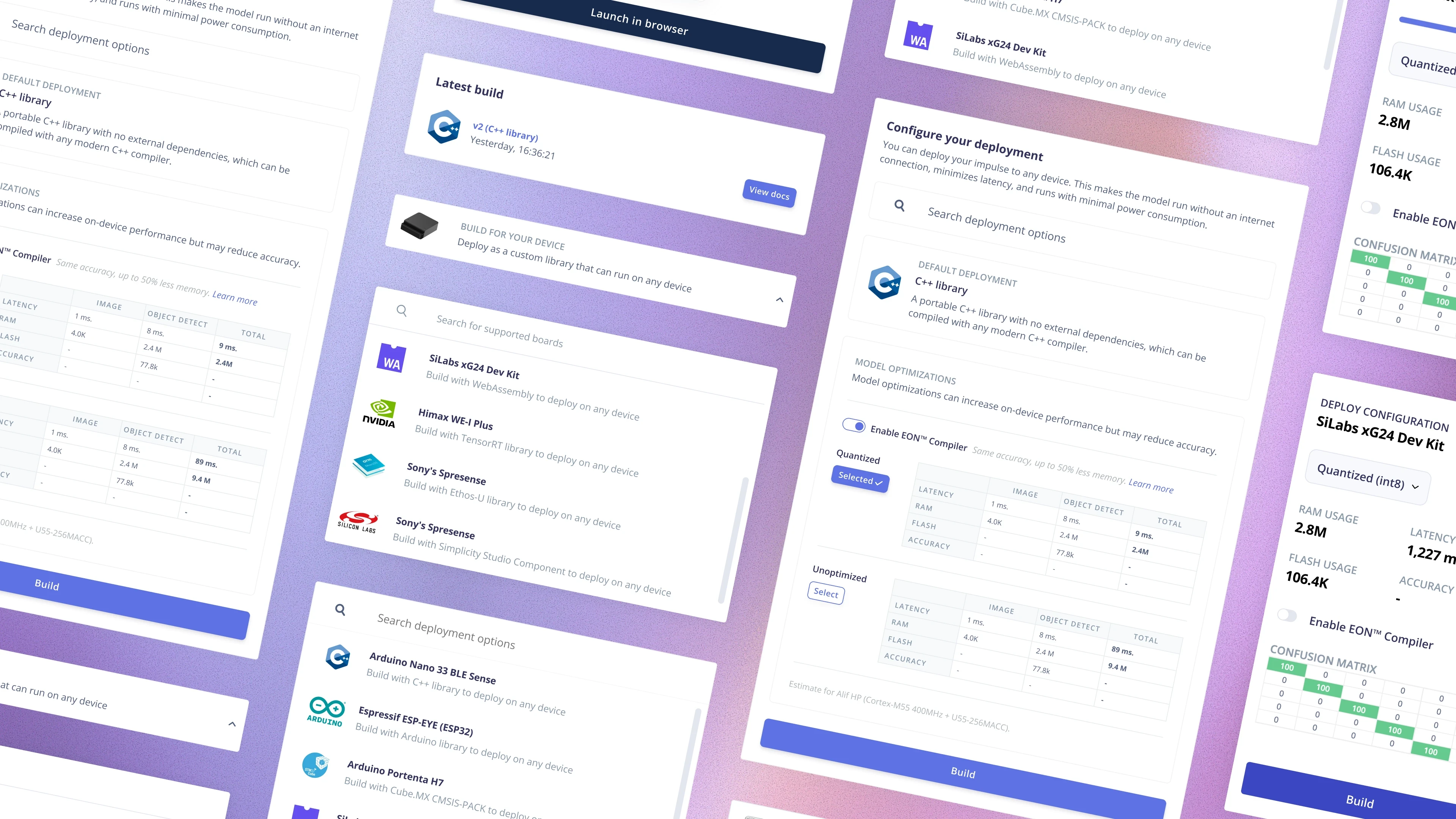
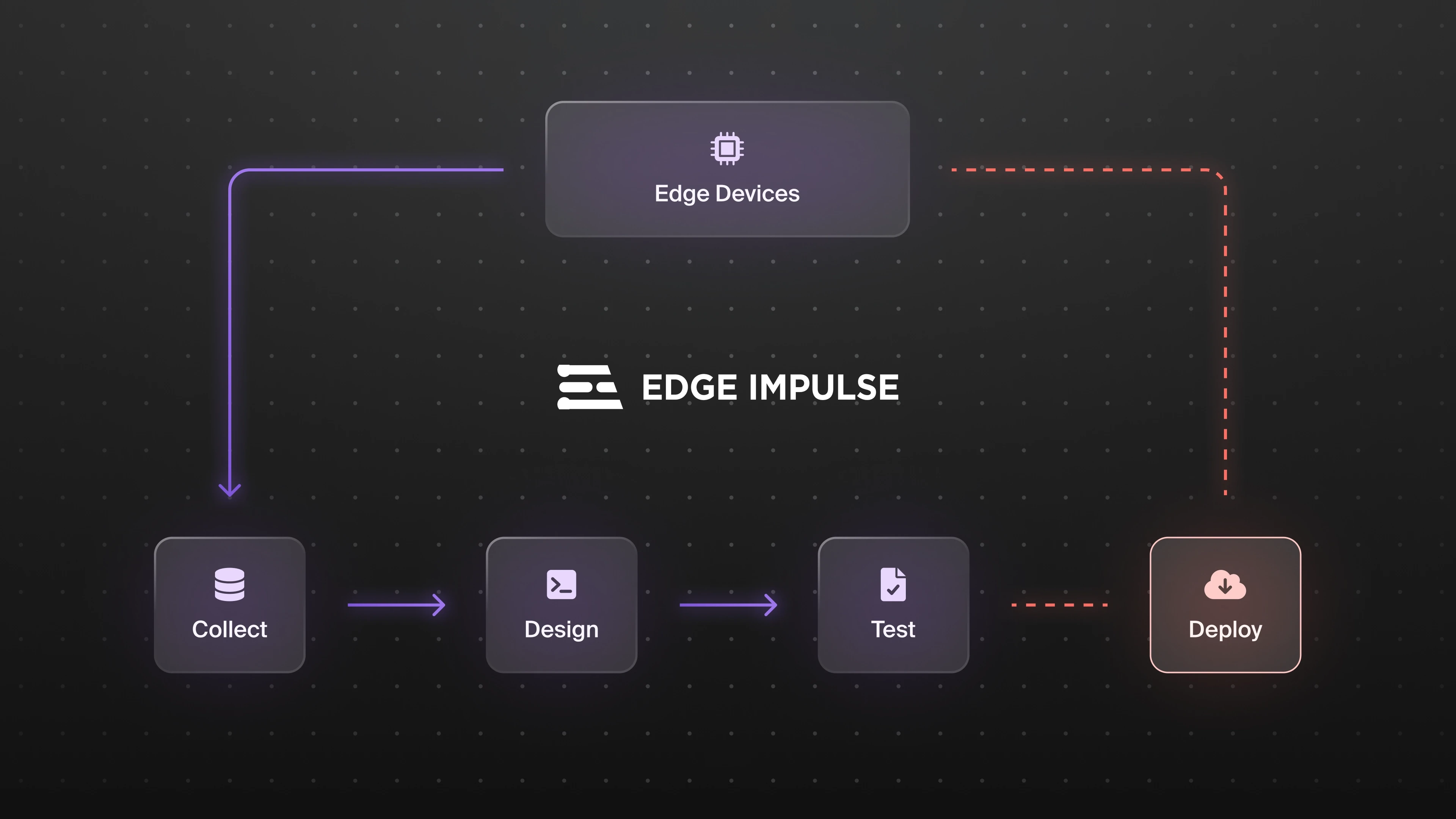
Edge Impulse is a SaaS platform that enables developers to train and deploy machine learning models to edge devices. As the platform grew, the deployment feature had accumulated complexity. It was originally built quickly and hadn’t been revisited as the number of supported devices and developers scaled.
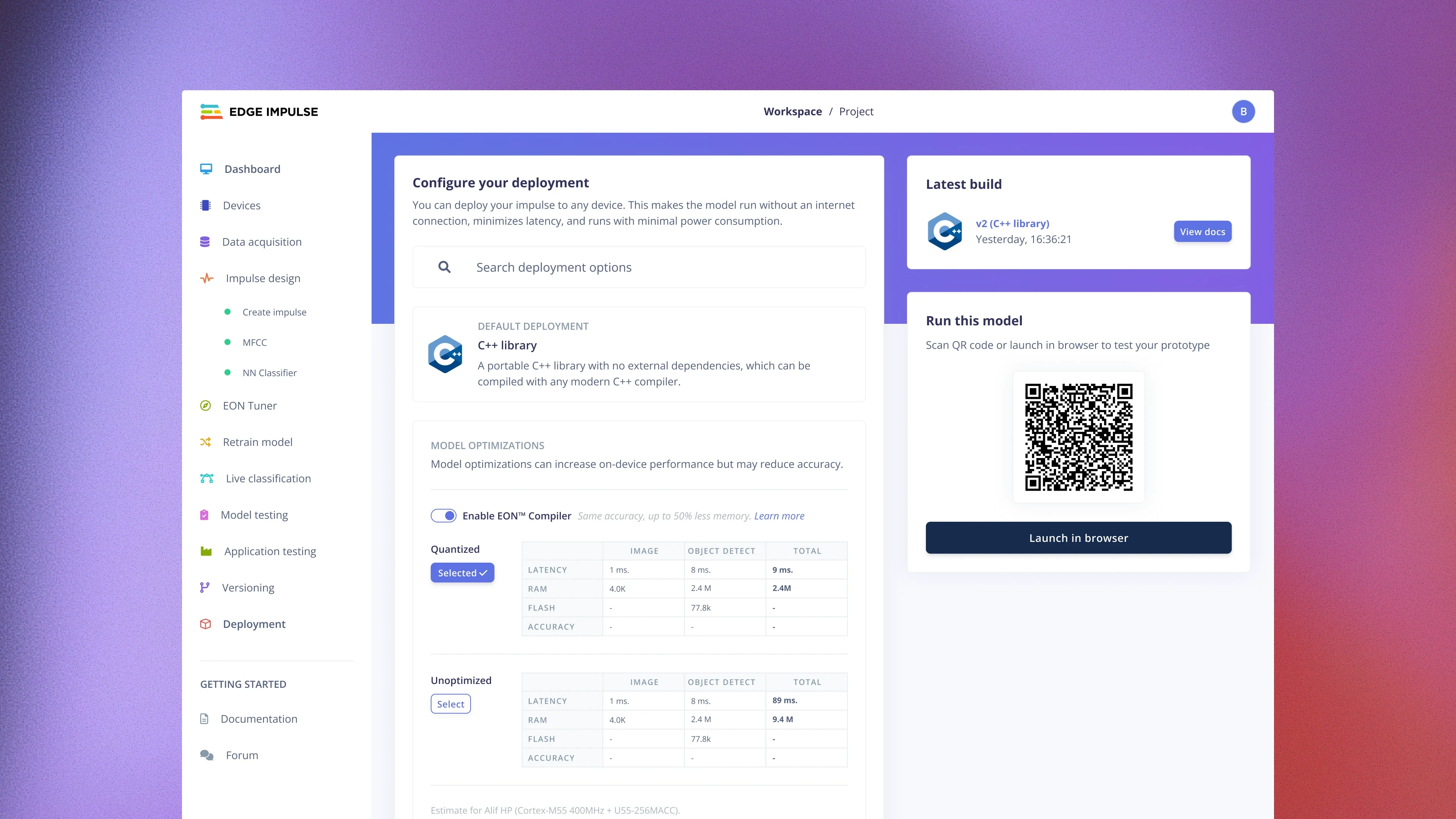
As the second product designer, I led the redesign of the deployment experience to address usability issues and make it easier for developers to move from trained model to running device.
Overview
Developers were successfully training models and exporting code — but many stopped before deployment. Why weren’t they deploying?
Problem I
Developers didn’t realize how many deployment options we supported
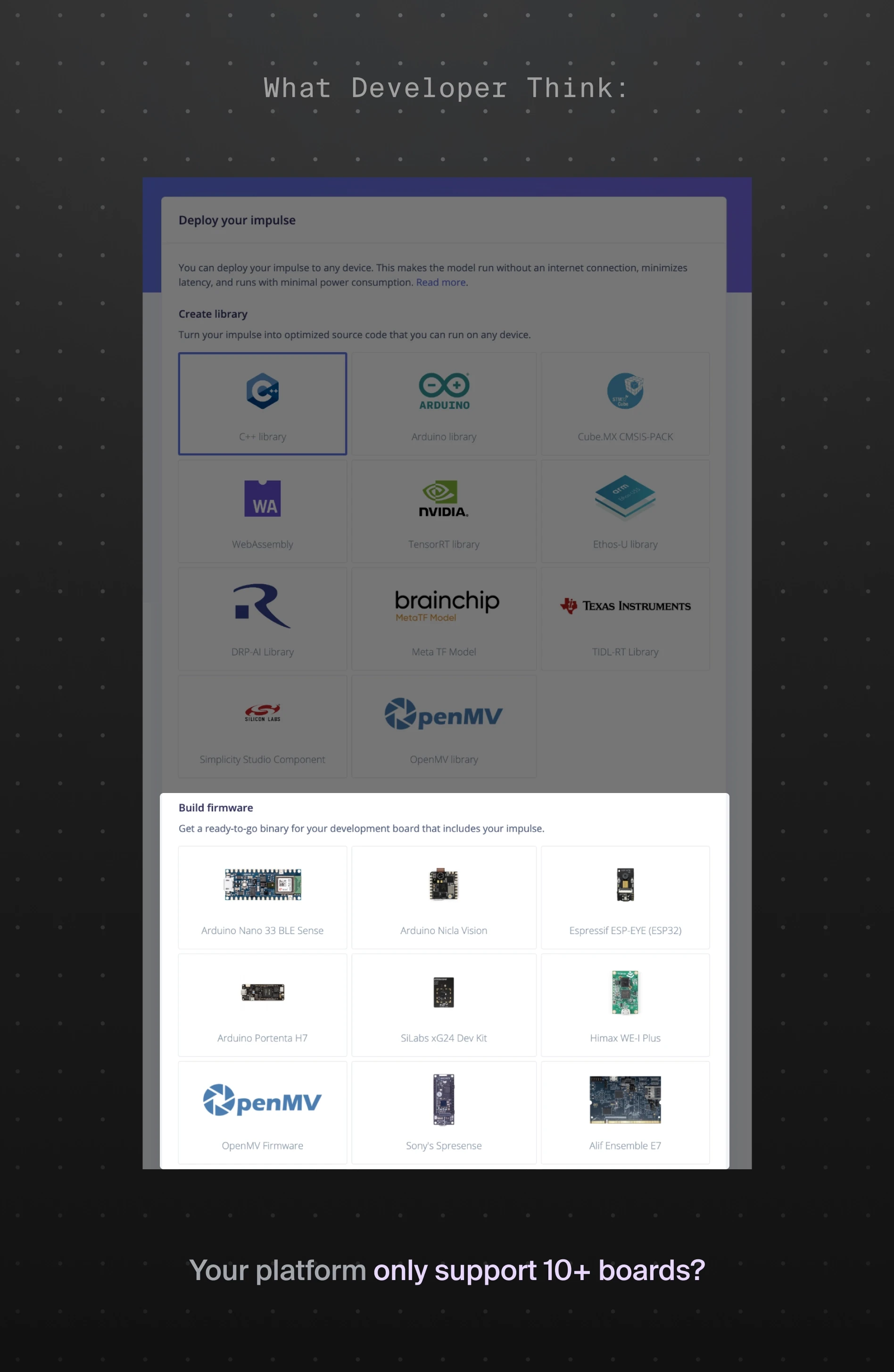
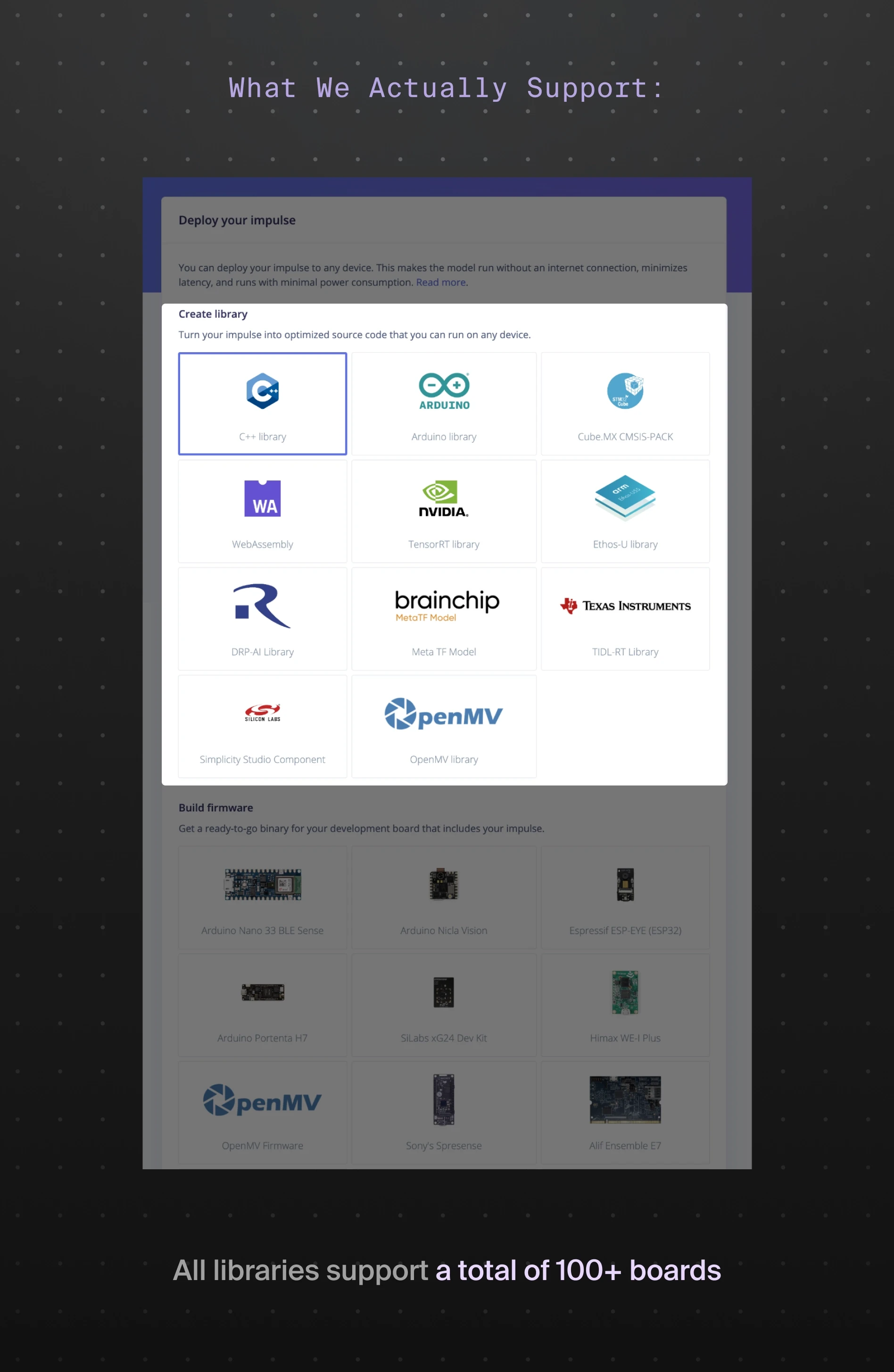
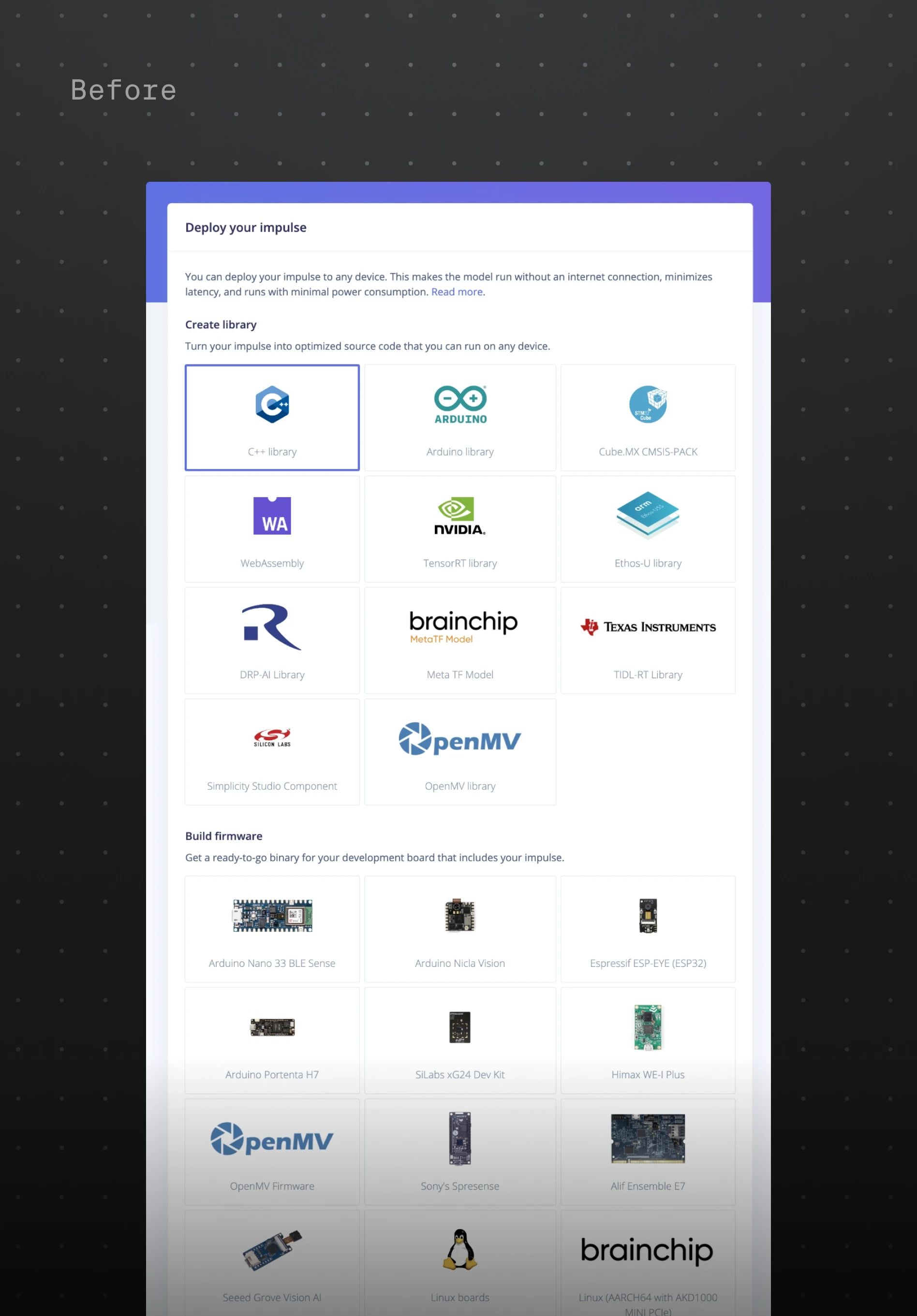
Edge Impulse supports dozens of hardware boards and deployment formats. However, the interface exposed these options in a way that made them easy to overlook. Many developers assumed their board wasn’t supported and left the platform before deploying their models.
Solution I
Surface hardware support early and visually
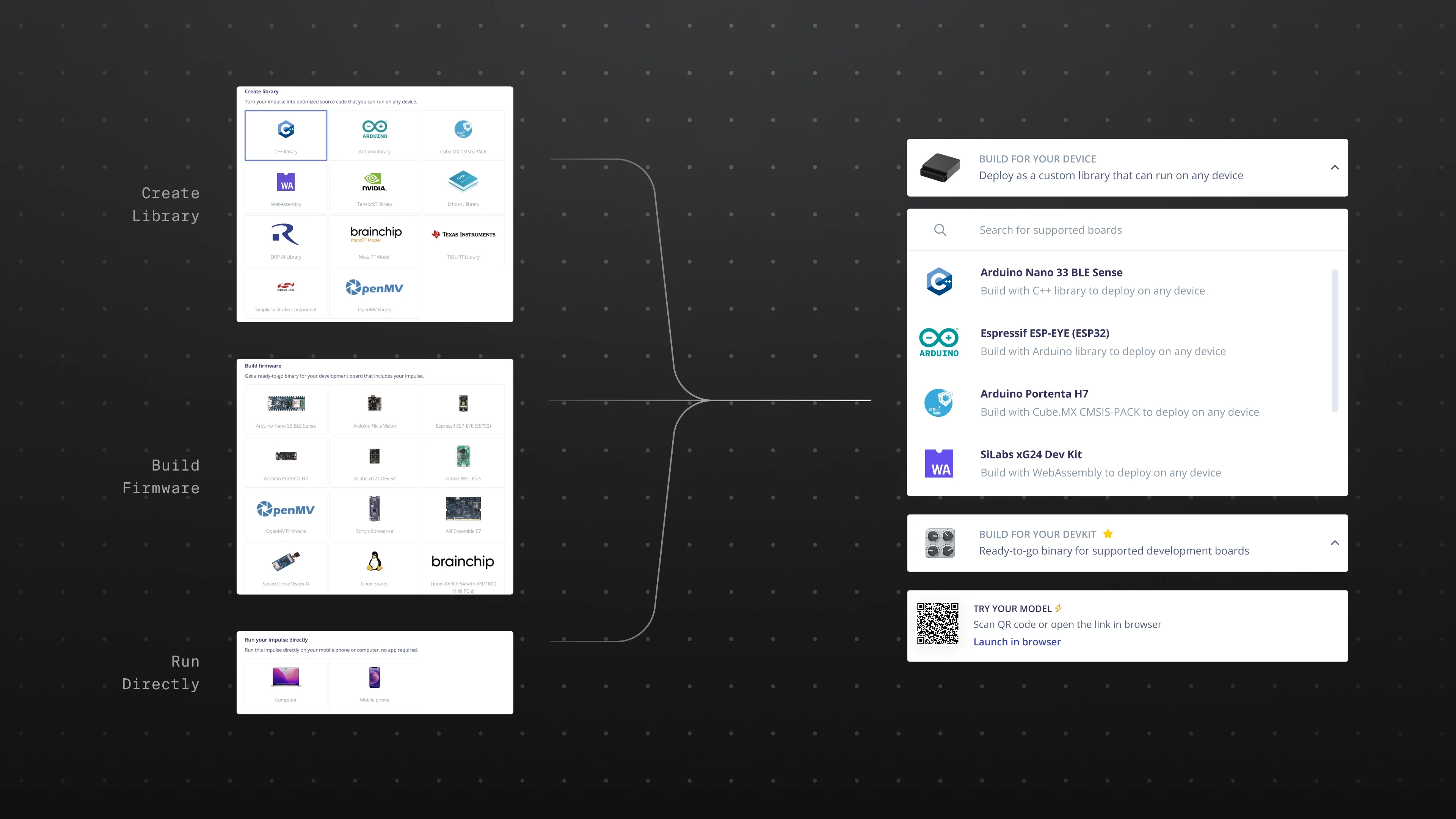
I redesigned the deployment entry to better highlight supported hardware and formats. Boards were surfaced more clearly with recognizable hardware visuals and clearer grouping. Developers could now quickly identify compatible boards instead of searching through documentation or guessing.
Problem II
The long scrolling list was difficult to navigate and impossible to scale
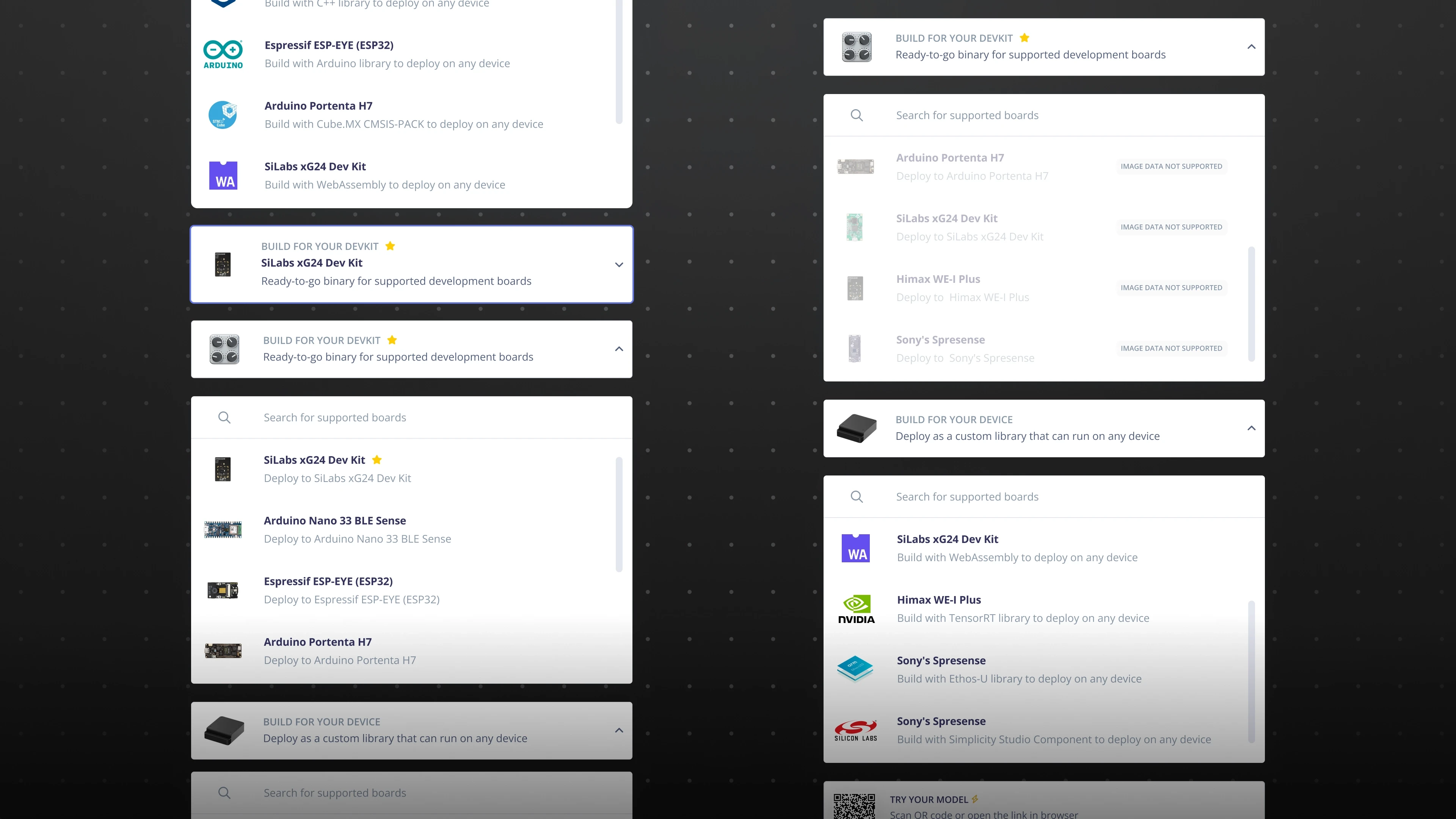
As more boards were added, the deployment page became a long, dense scrolling list. This created readability issues and made it harder to introduce new boards without overwhelming the interface.
Solution II
Structured categories and improved navigation
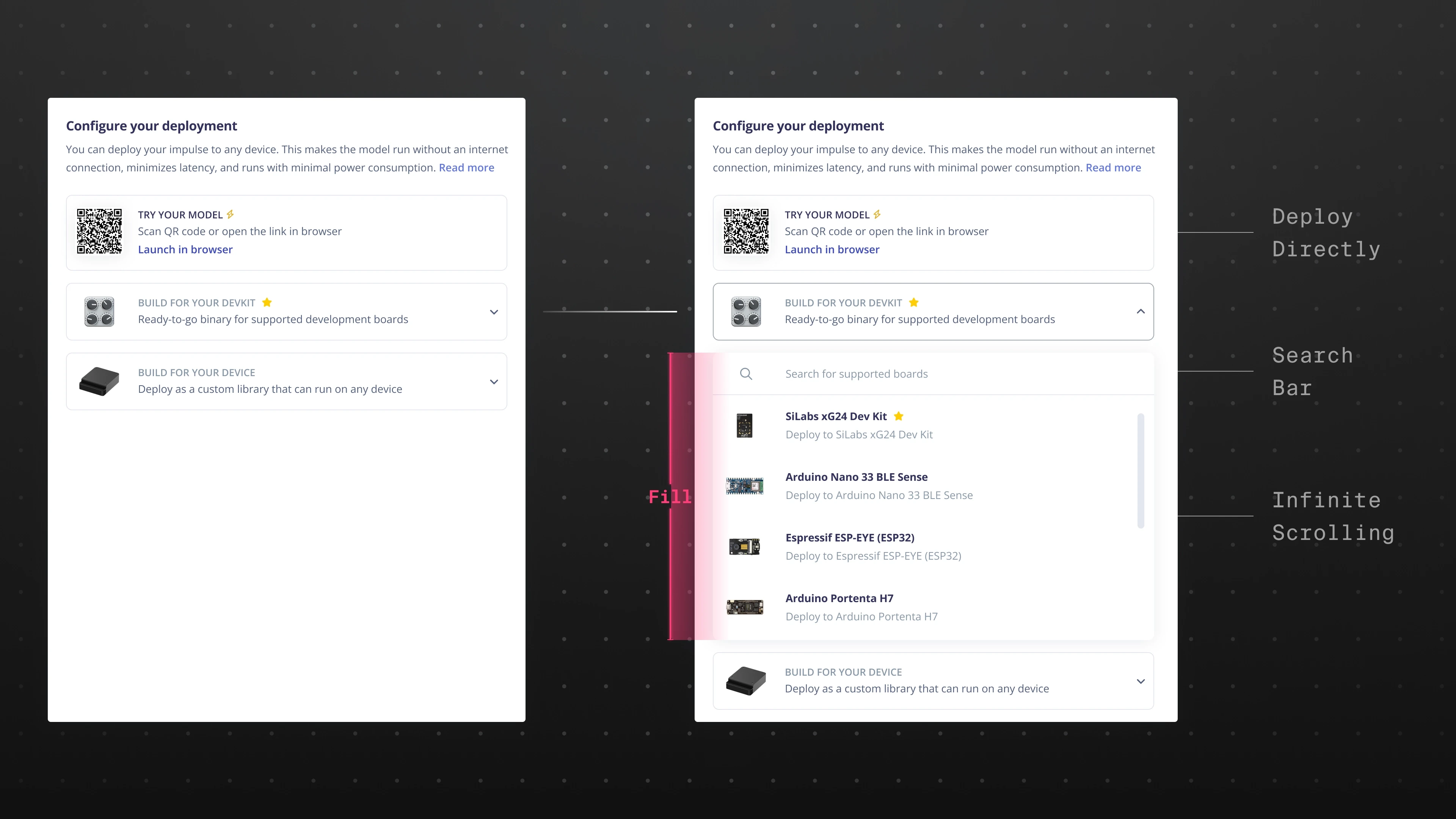
I reorganized deployment options into clear categories and scannable sections, reducing visual noise and improving discoverability. This structure allowed the platform to scale as new boards were added while keeping the experience manageable for developers.
Problem III
Developers wanted more control during deployment
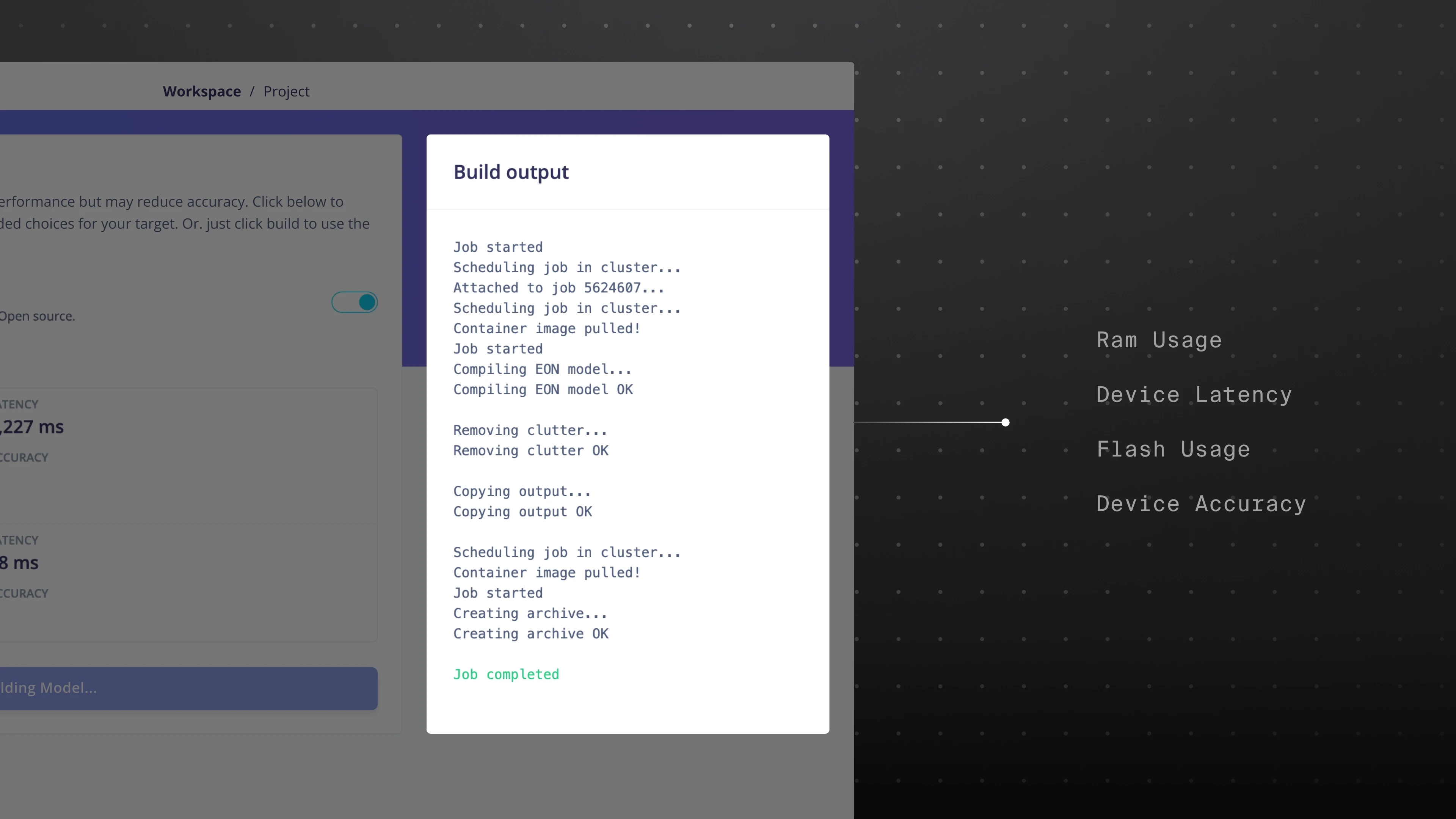
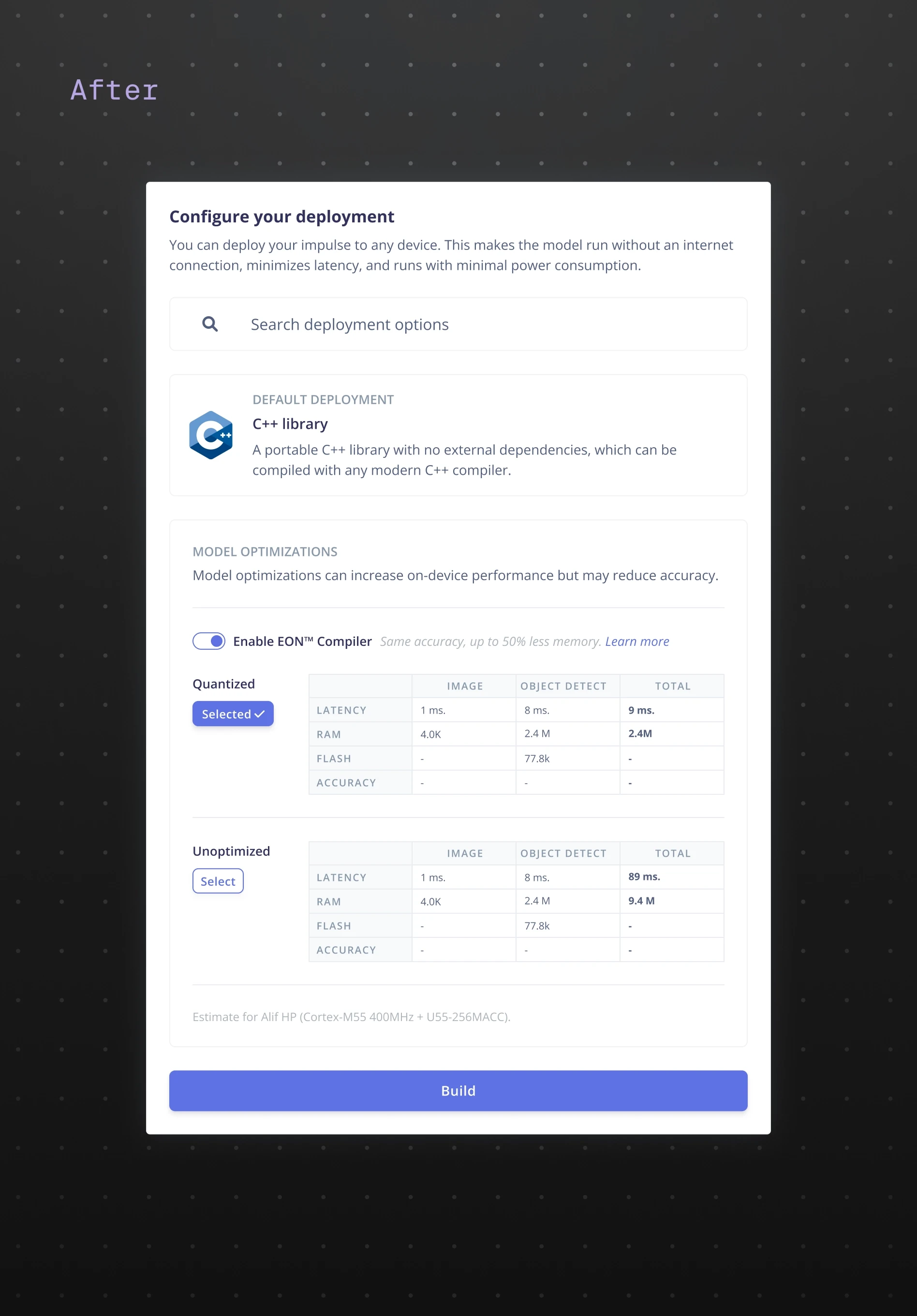
Advanced users felt constrained by a “one-click” deployment. They wanted visibility into configurations, optimization options, and outputs—without overwhelming less experienced developers.
Solution III
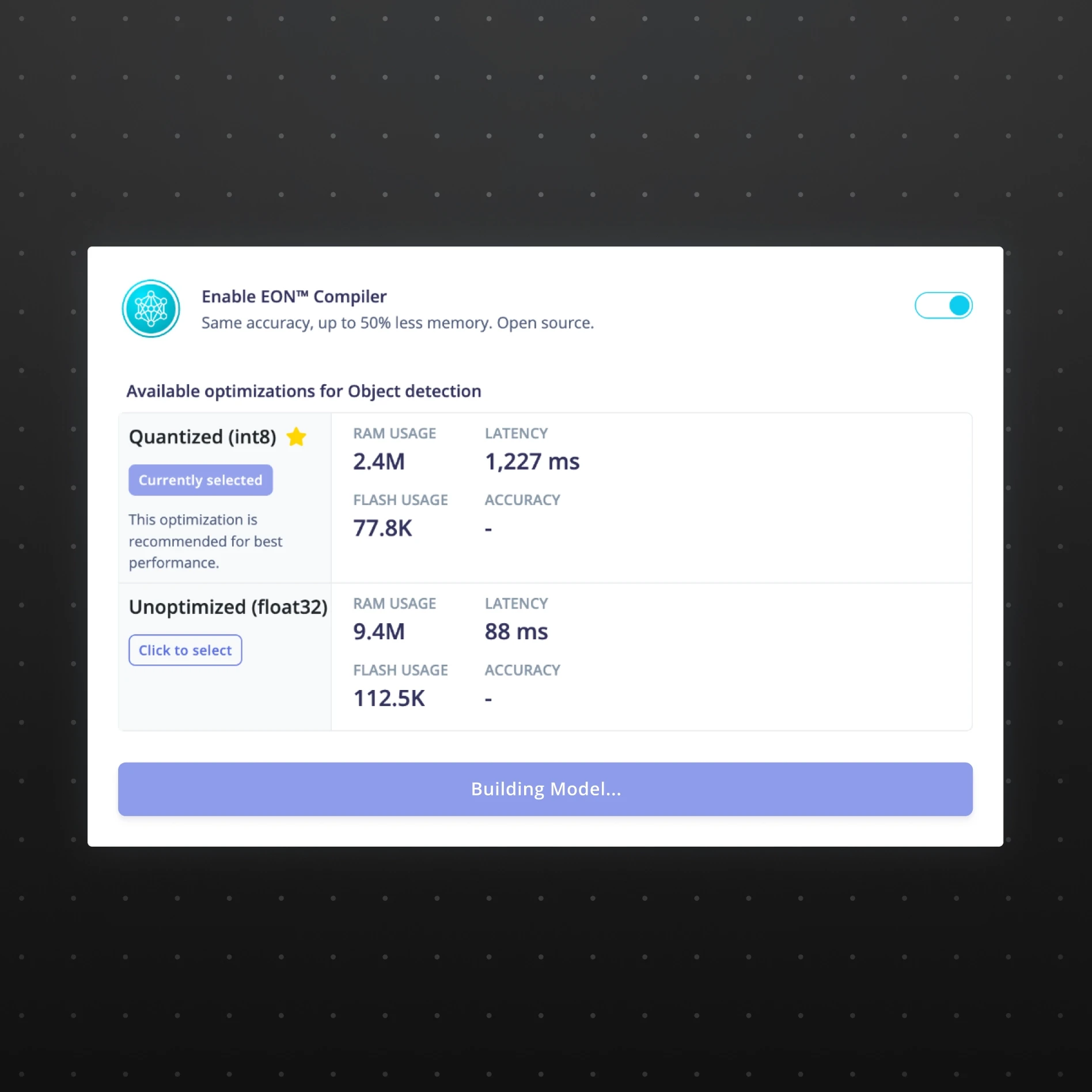
Flexible configuration with clearer controls
Before
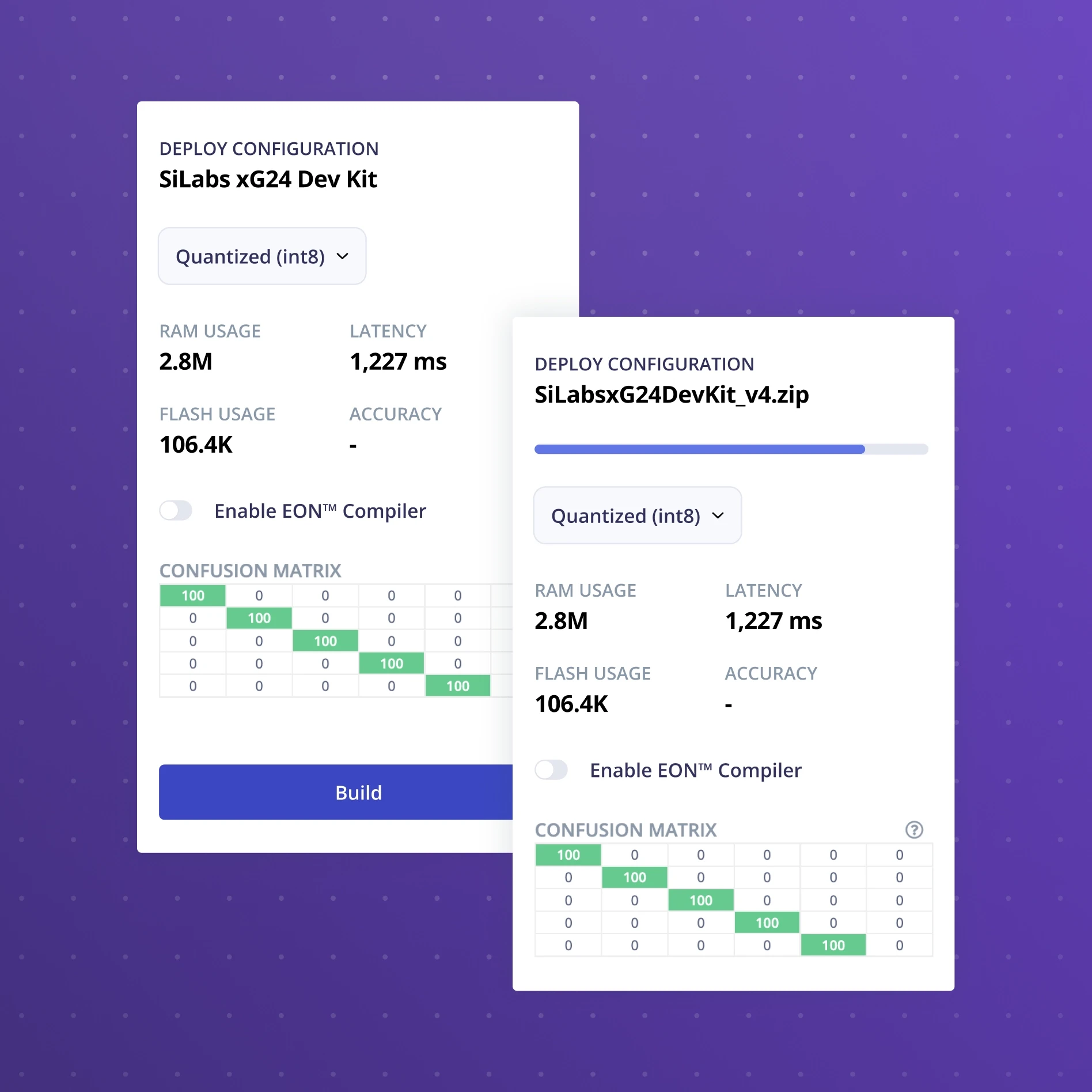
After
I introduced clearer configuration options that gave developers more control over export formats, parameters, and integration workflows. The experience balanced simplicity for beginners while still supporting advanced workflows for expert developers.
Launch
First design rollout
After launch, the redesign significantly improved the experience for expert developers, who appreciated the added control and clearer structure.
Evaluation
However, while power users adopted the new experience, many individual developers still weren’t deploying their models...
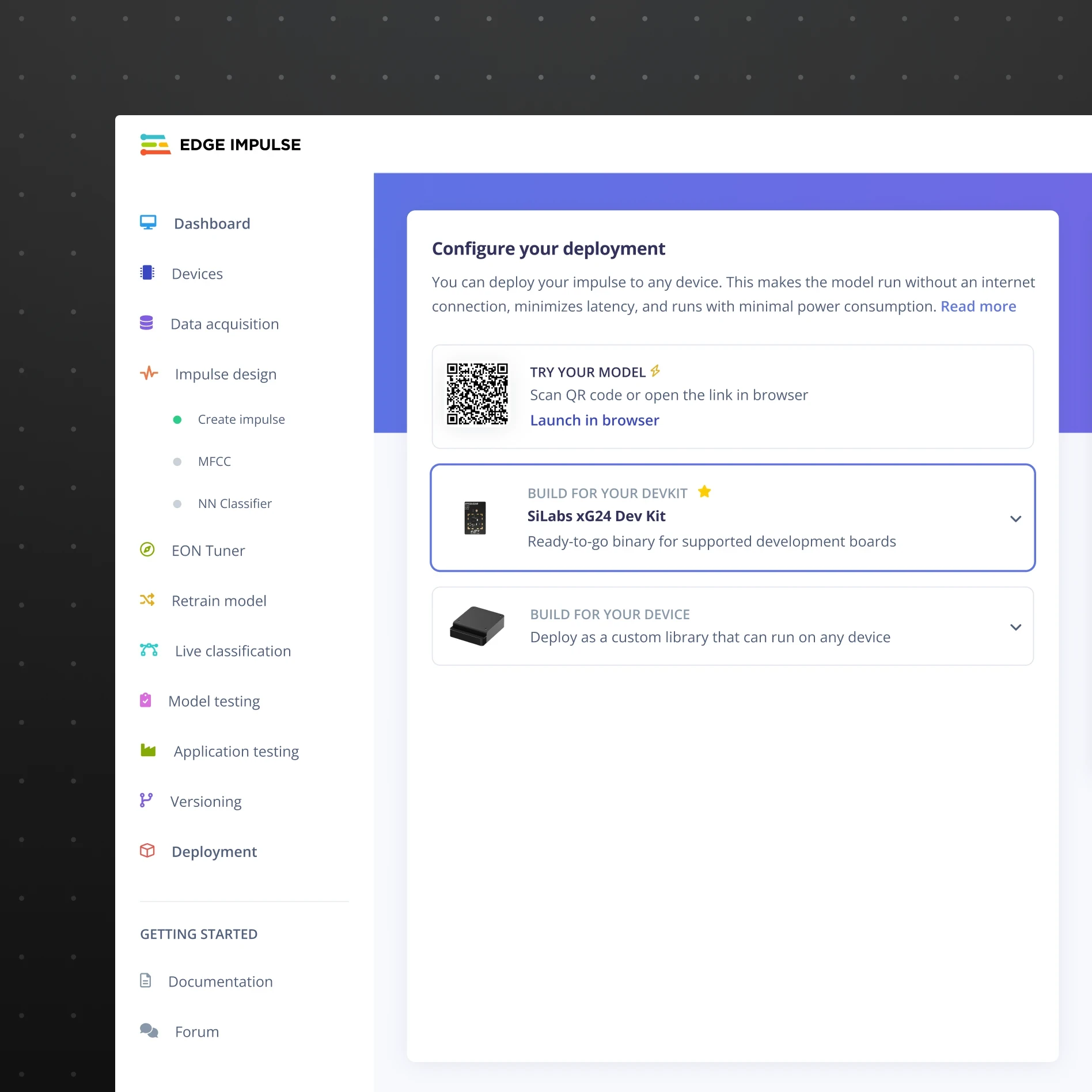
First Rollout
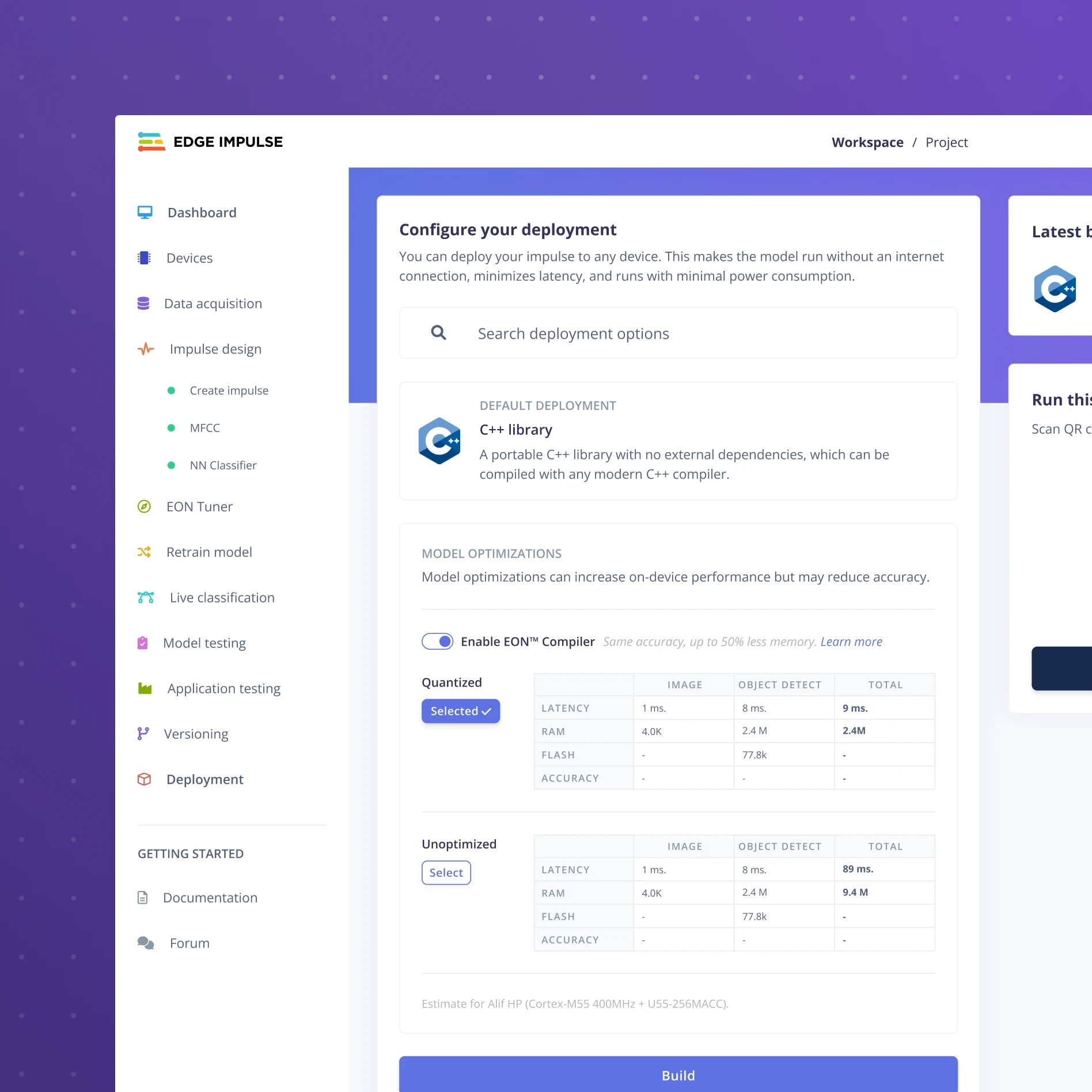
Final Version
Curious how I navigated that pivot and helped Edge Impulse scale its developer community from 9k to 170k users? Let’s chat.