Making course registration 3× faster for UPenn students
A redesign of Penn InTouch that simplifies course planning and enrollment into a single streamlined workflow.
Penn InTouch · Desktop · Platform
Team
Sole designer
Role
Product Designer, Researcher
Tools
Figma, Jitter
Average registration time reduced from 15 minutes to 5 minutes, with 84% user satisfaction.
When I first used Penn InTouch (PIT) — the University of Pennsylvania’s official course registration system — I expected a straightforward experience. Instead, I spent nearly an hour navigating confusing menus and searching for information, almost missing my registration window. That experience raised a simple question:
Why is registering for classes so difficult?
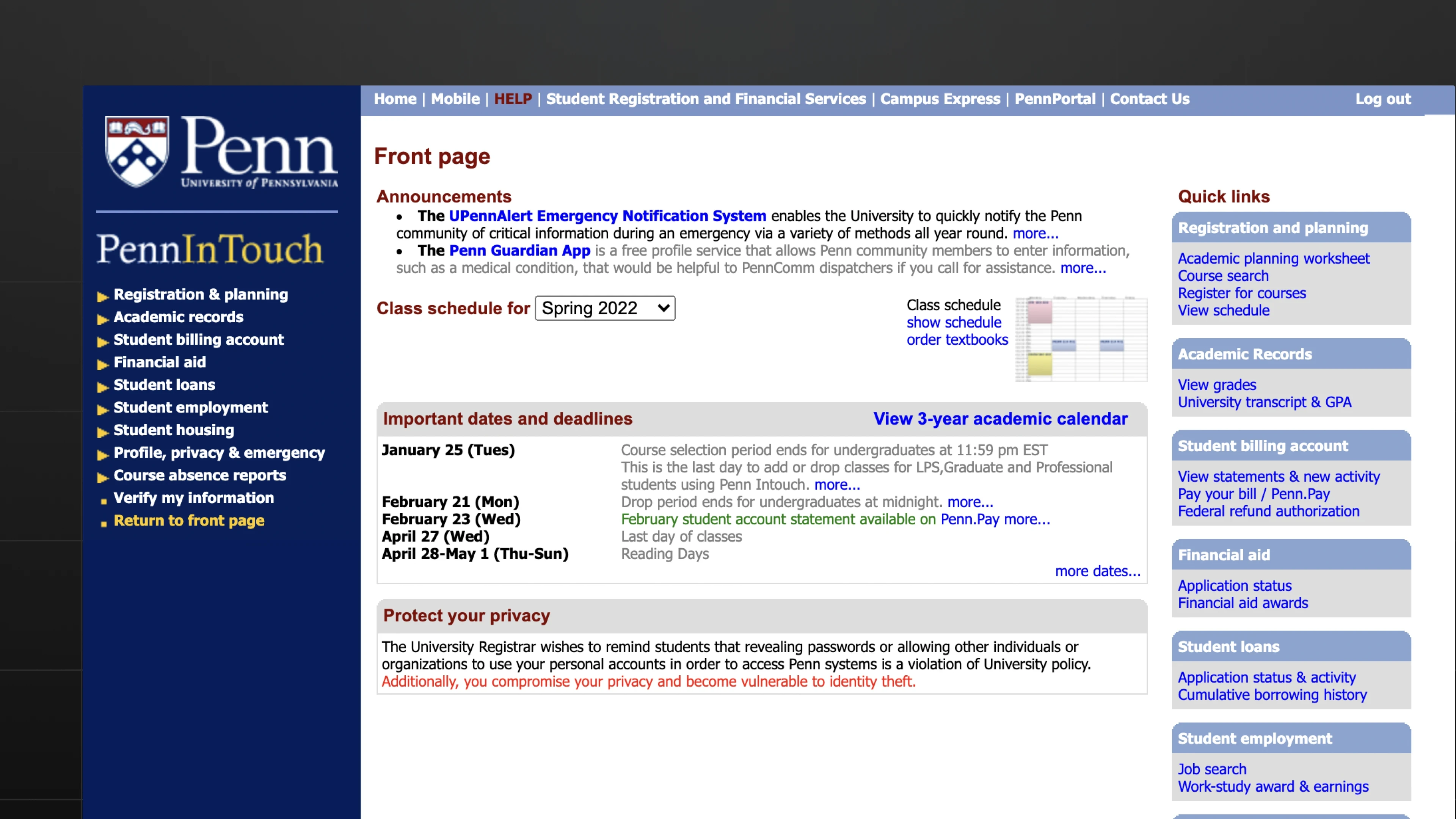
Before
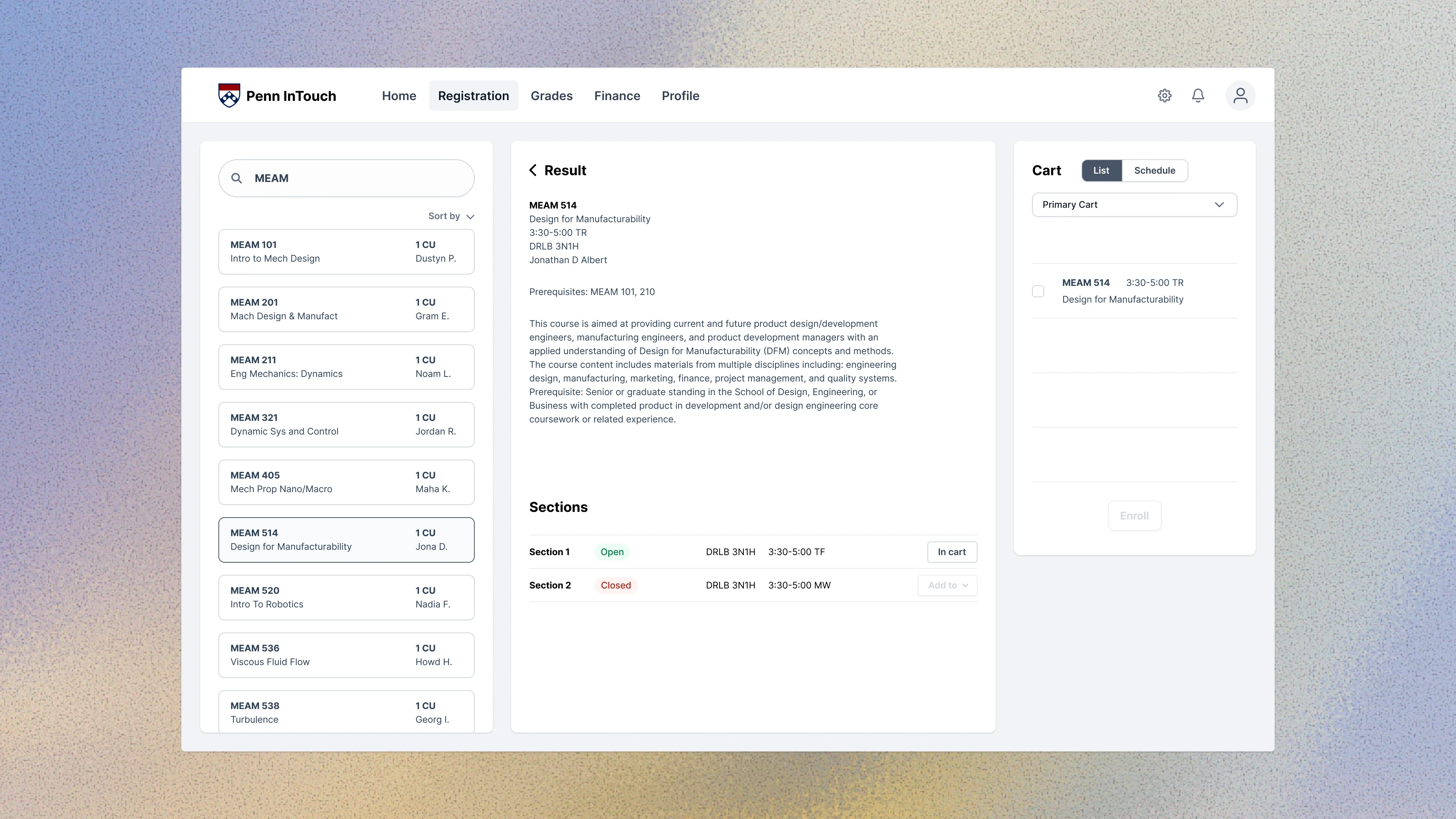
The redesigned experience consolidates the entire workflow into a single-page interface, allowing students to search, plan, and enroll without relying on external tools.
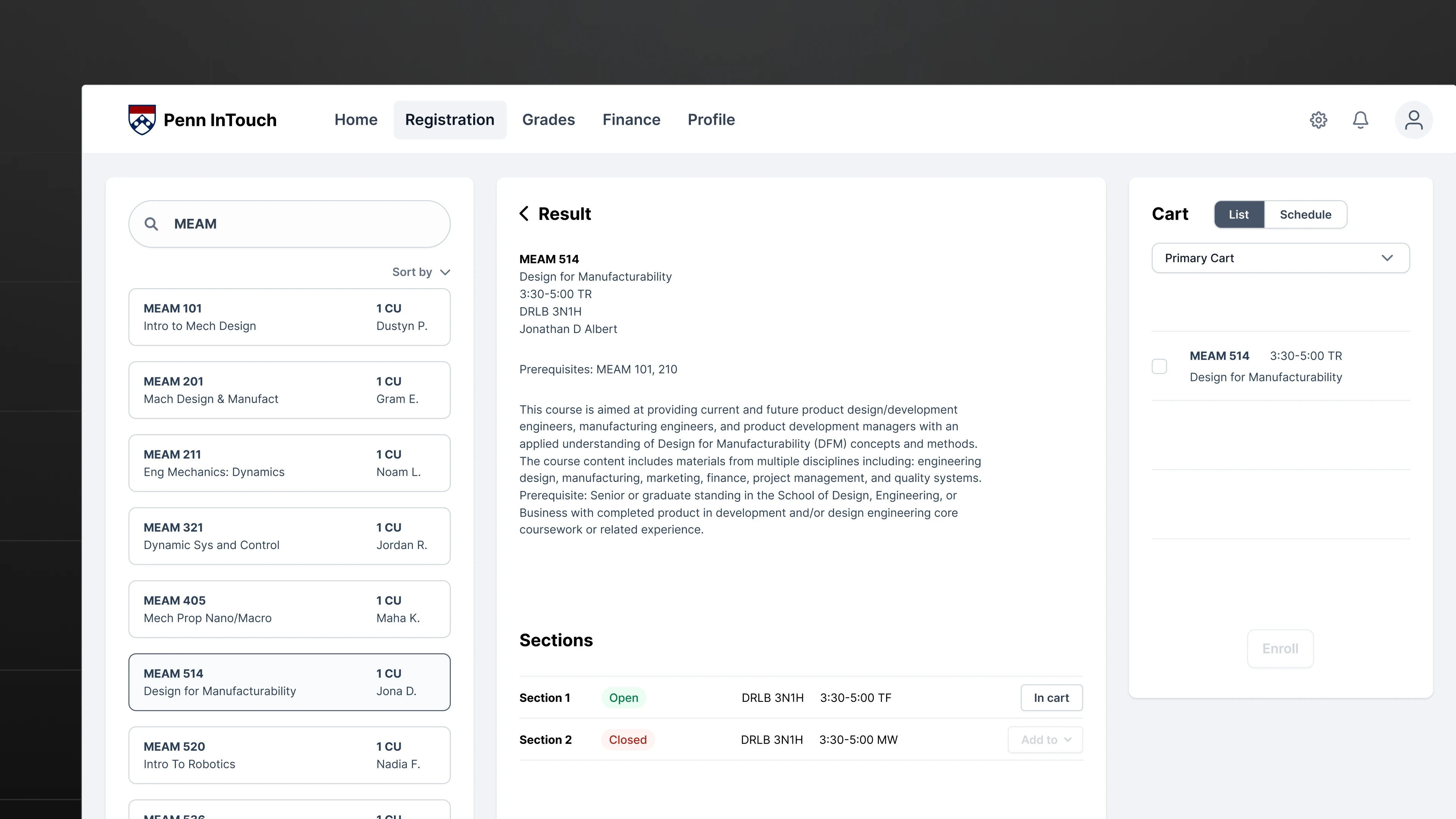
After
Problem I
Students spent 15 minutes registering for a single class
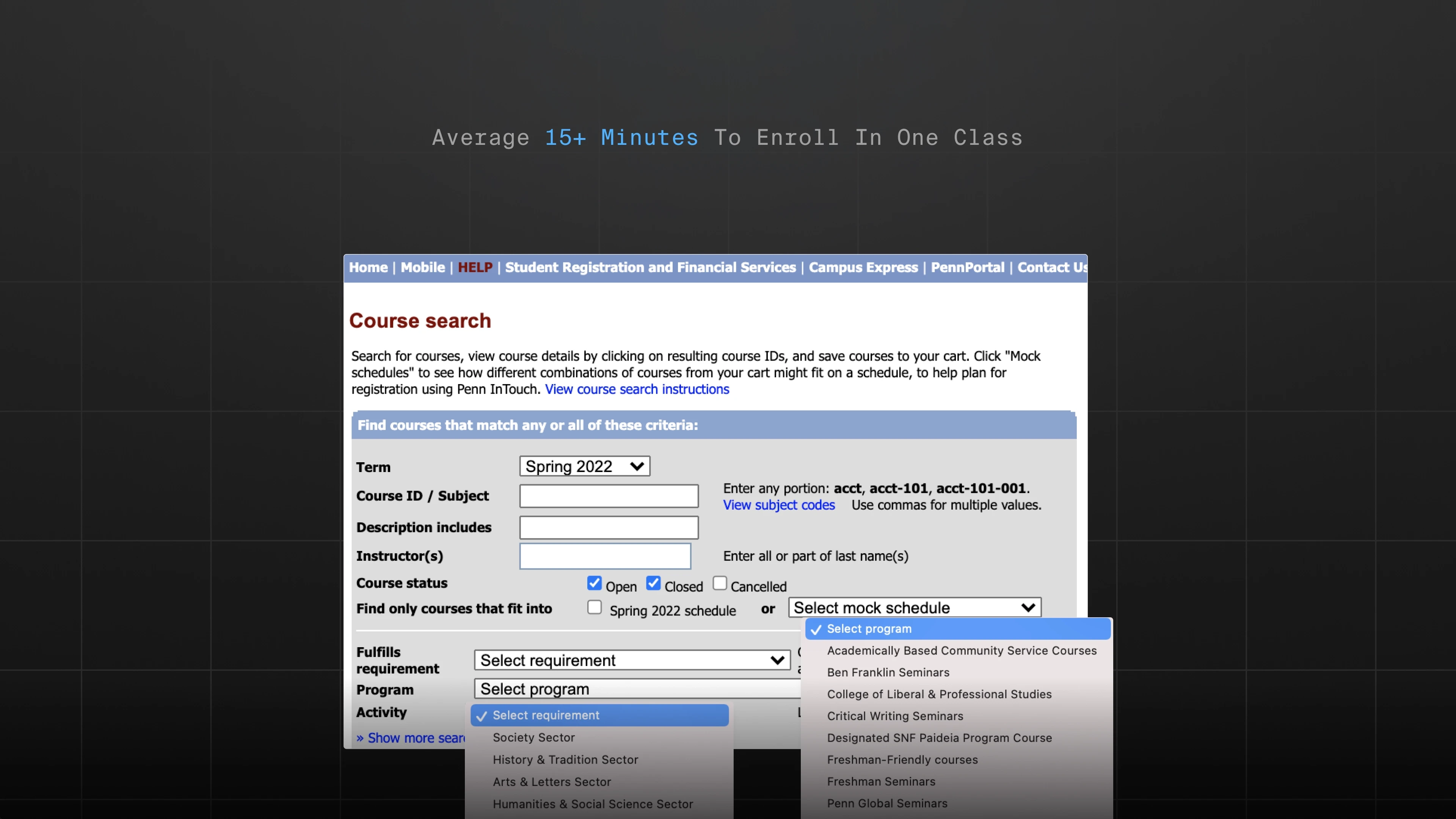
During usability testing, students frequently got stuck on small but frustrating tasks, such as toggling between the search page and cart, hunting for unclear buttons, and navigating hidden menus. These interruptions broke the workflow and significantly slowed down the enrollment process.
Solution I
Remove redundant steps
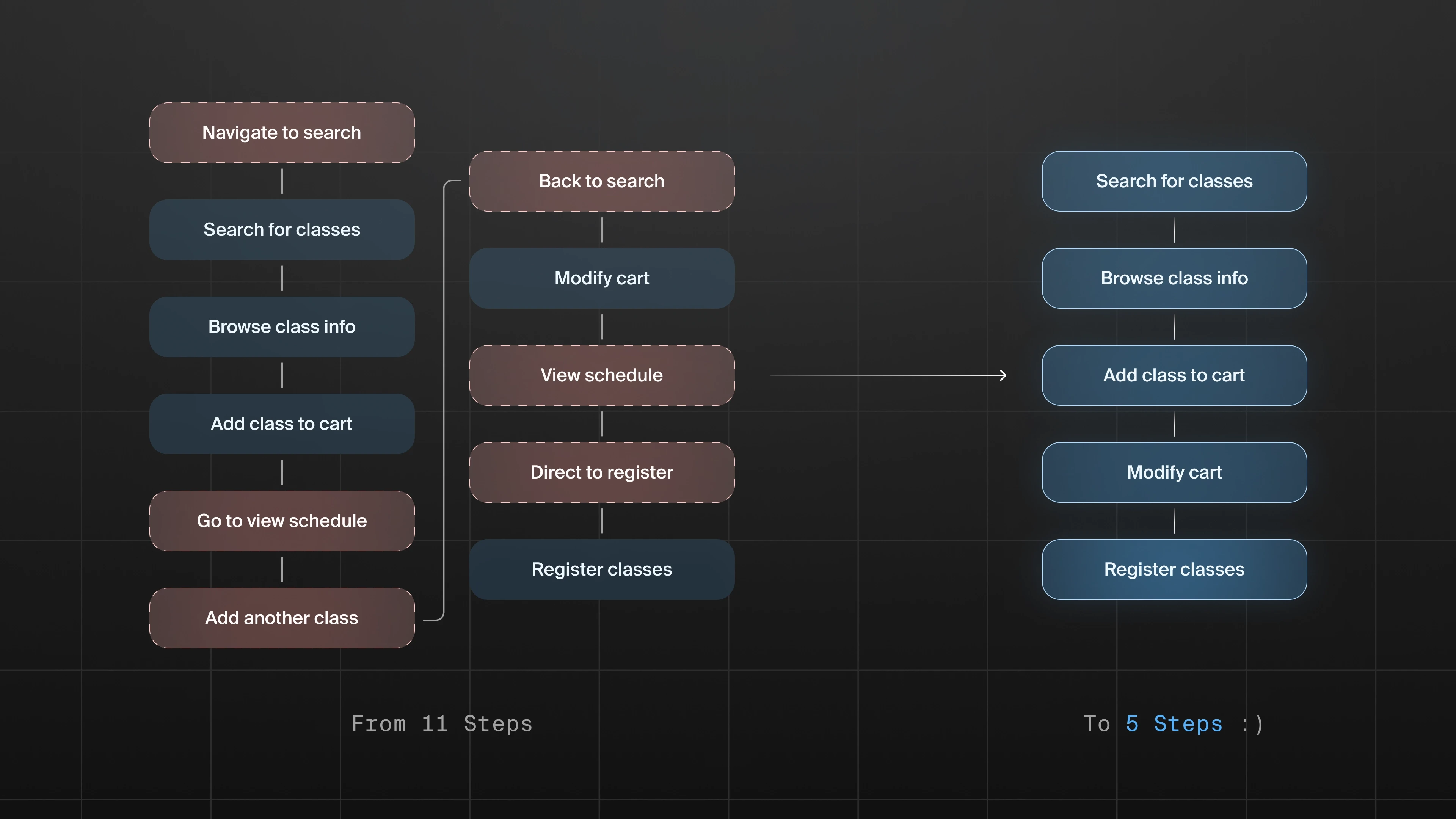
I mapped the full registration journey from course discovery to enrollment, identifying unnecessary navigation and duplicate actions. By restructuring the flow, I reduced the process from 11 steps to 5, allowing students to complete registration more efficiently.
Problem II
Poor accessibility and outdated UI created unnecessary friction
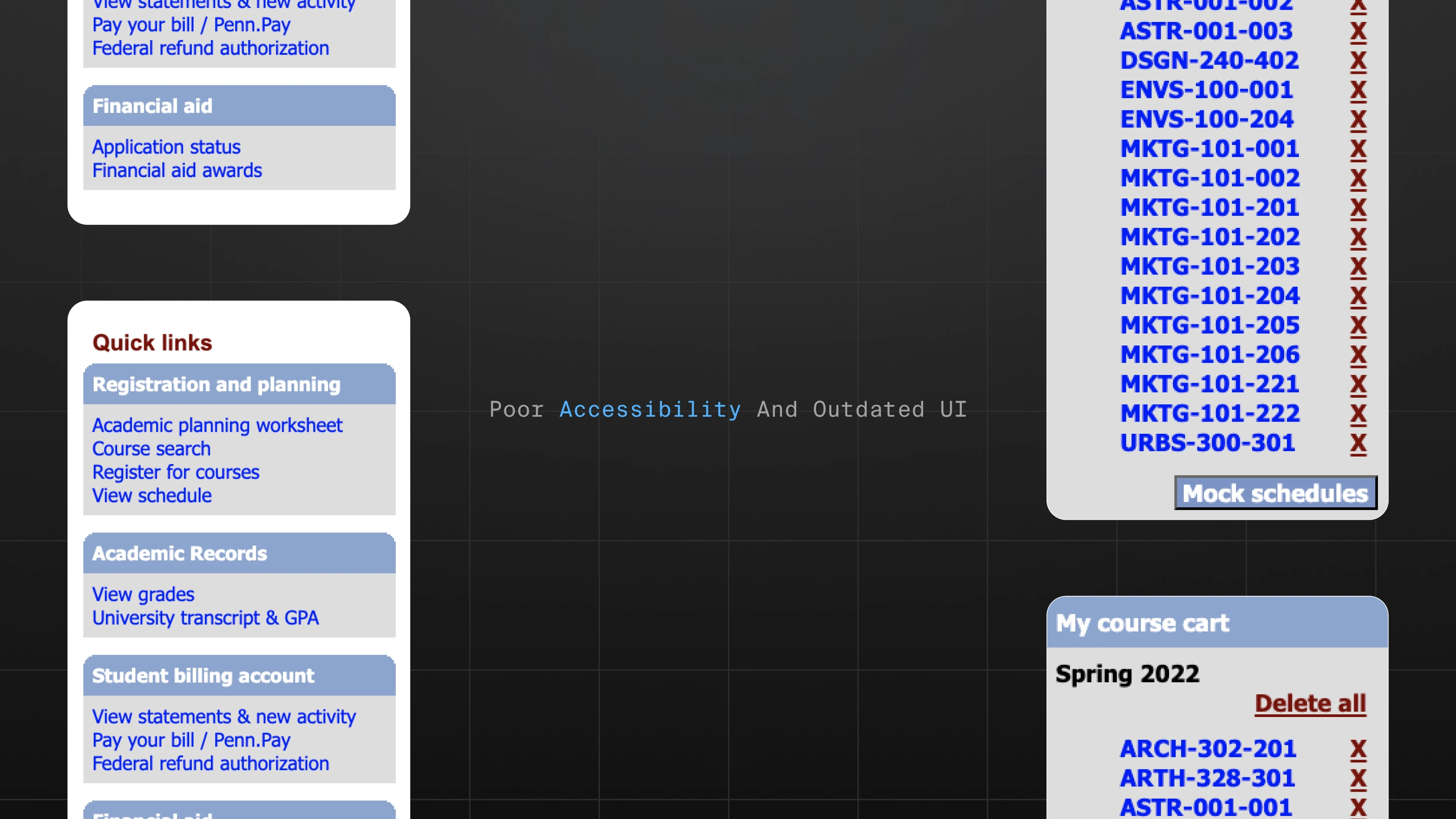
The existing interface suffered from low contrast, cluttered layouts, and outdated visual patterns. Key actions were difficult to locate, and the cart experience was especially confusing, causing many students to abandon it altogether.
Solution II
Modern, accessible interface
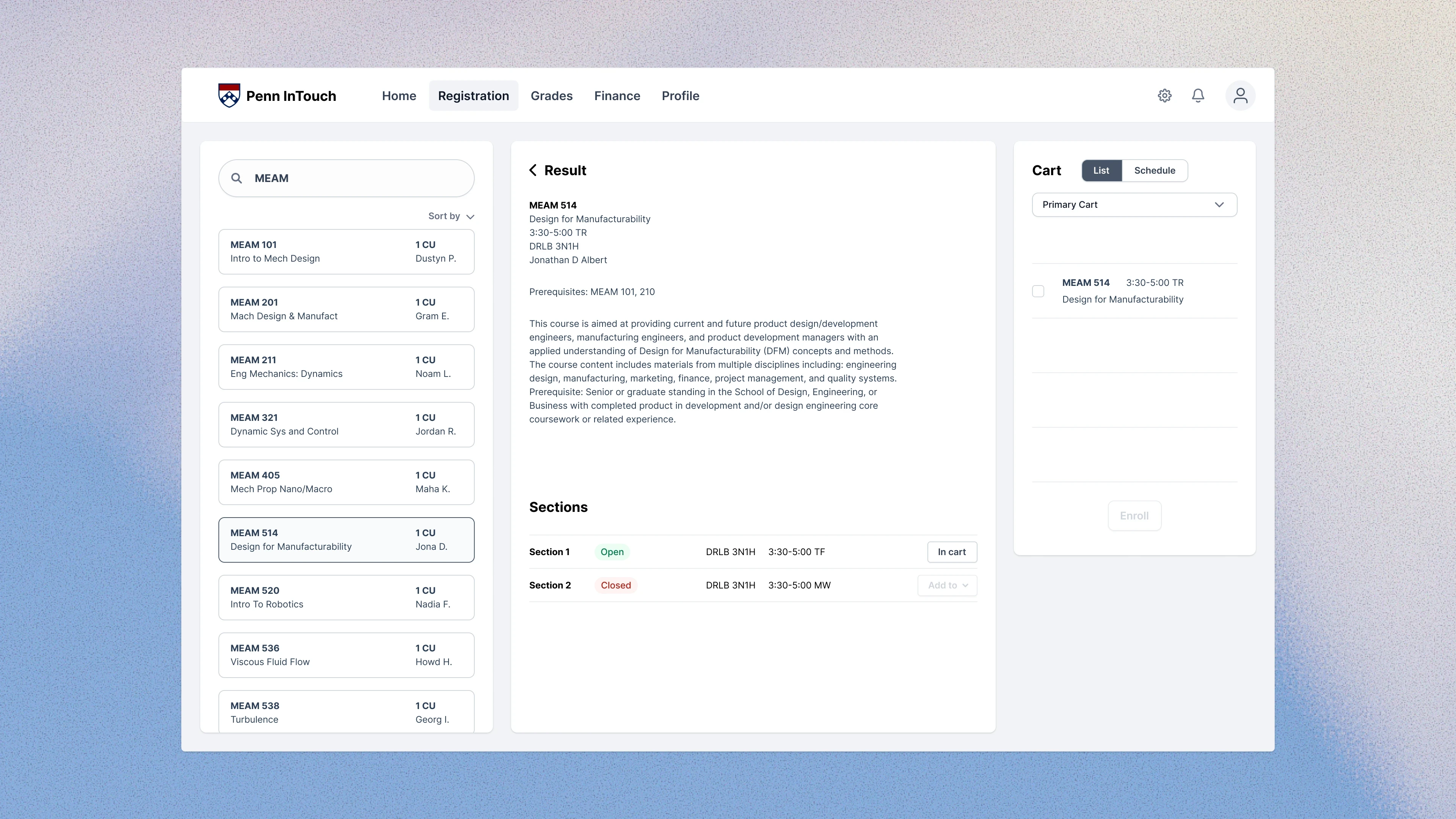
I redesigned the interface with improved contrast, clearer hierarchy, and simplified layouts. The updated design improves readability, highlights key actions, and creates a more intuitive registration flow.
Solution II - Option I
Modern, accessible interface
Option I
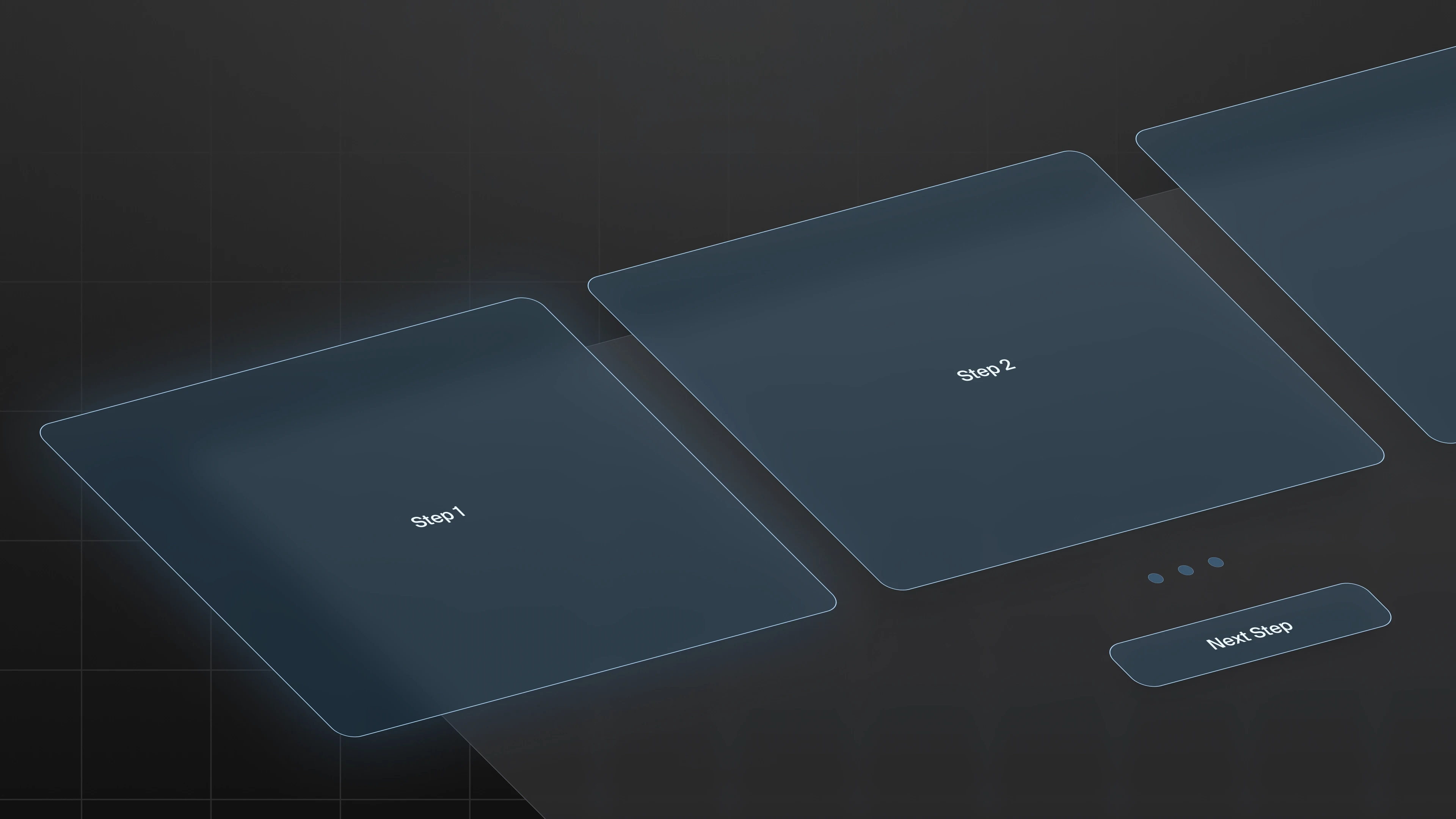
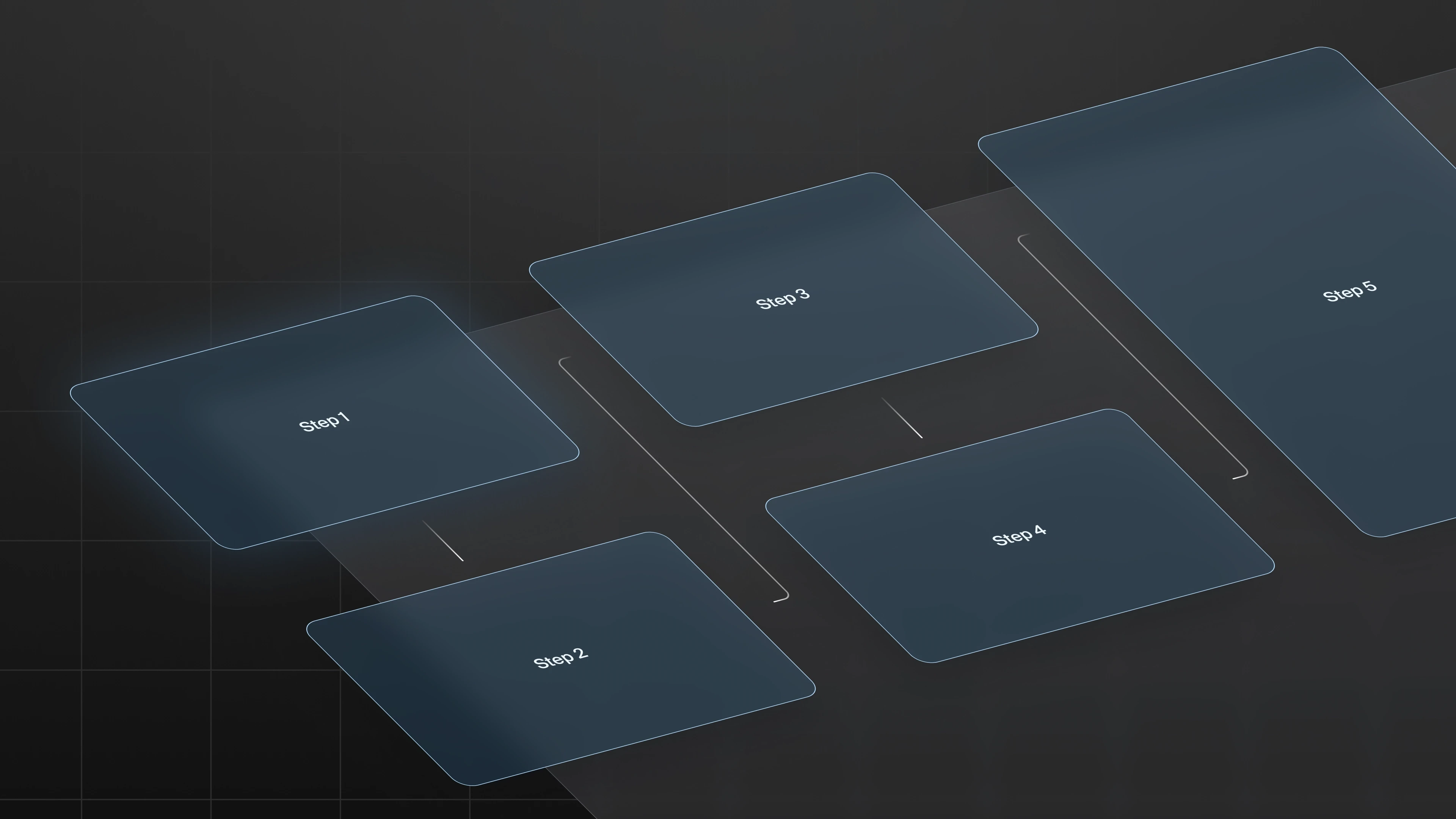
A progress bar guided users through each stage of registration. However, testing revealed that students frequently navigated backward while searching for classes, increasing completion time.
Solution II - Option II
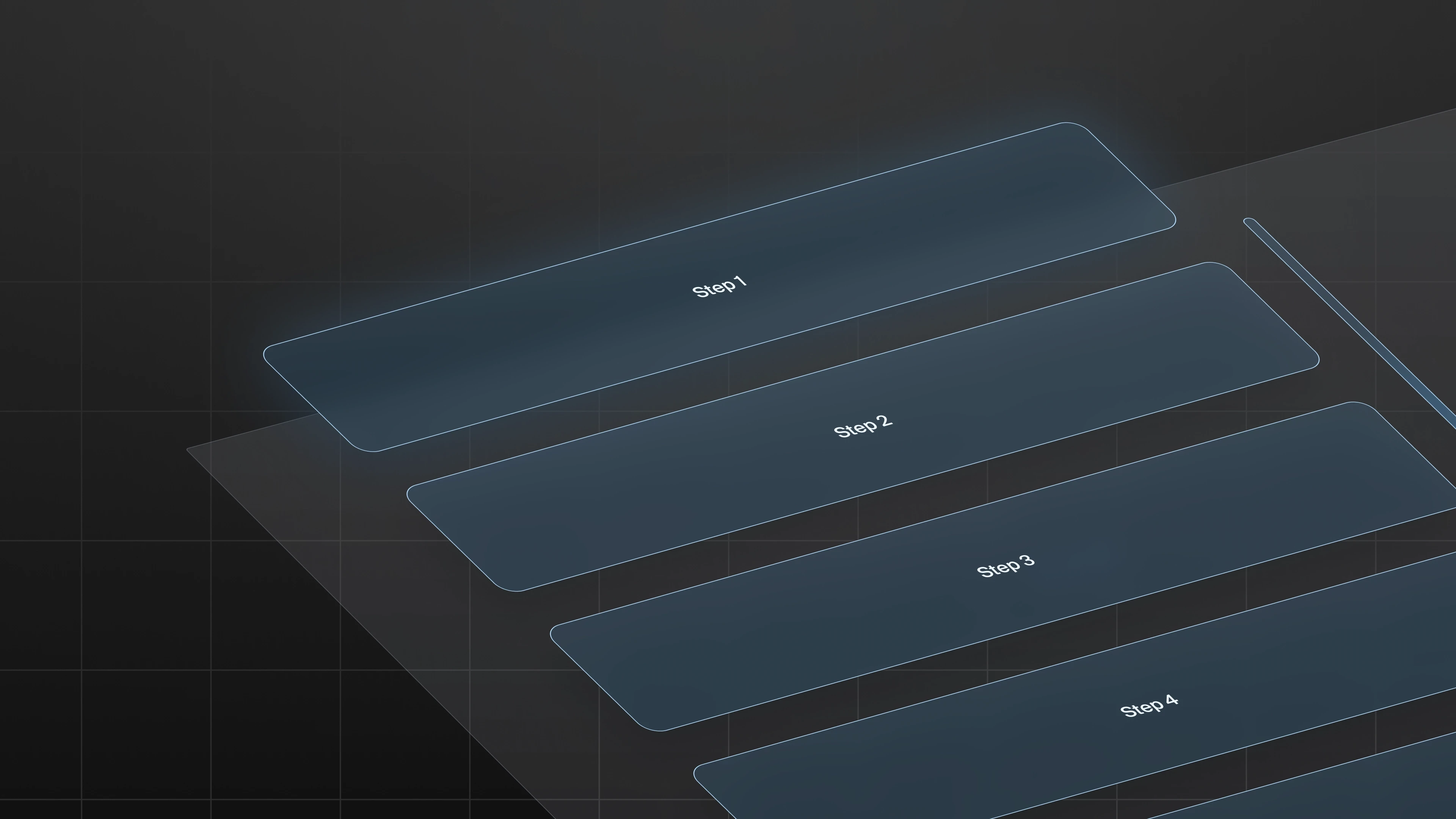
Continuous scrolling
Option II
This layout allowed users to scroll through the entire workflow. While simple, the page became excessively long and overwhelming.
Solution II - Option III
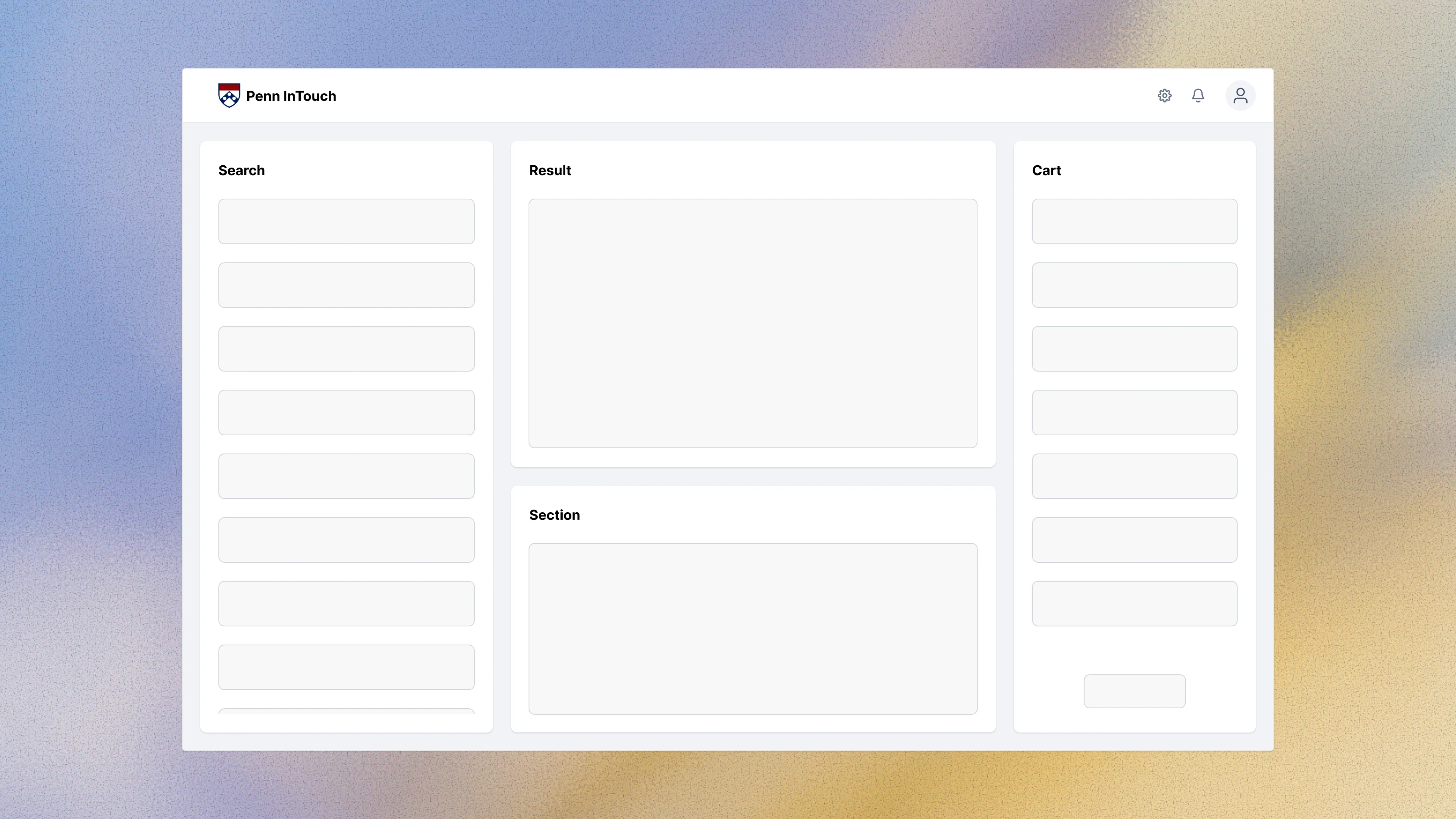
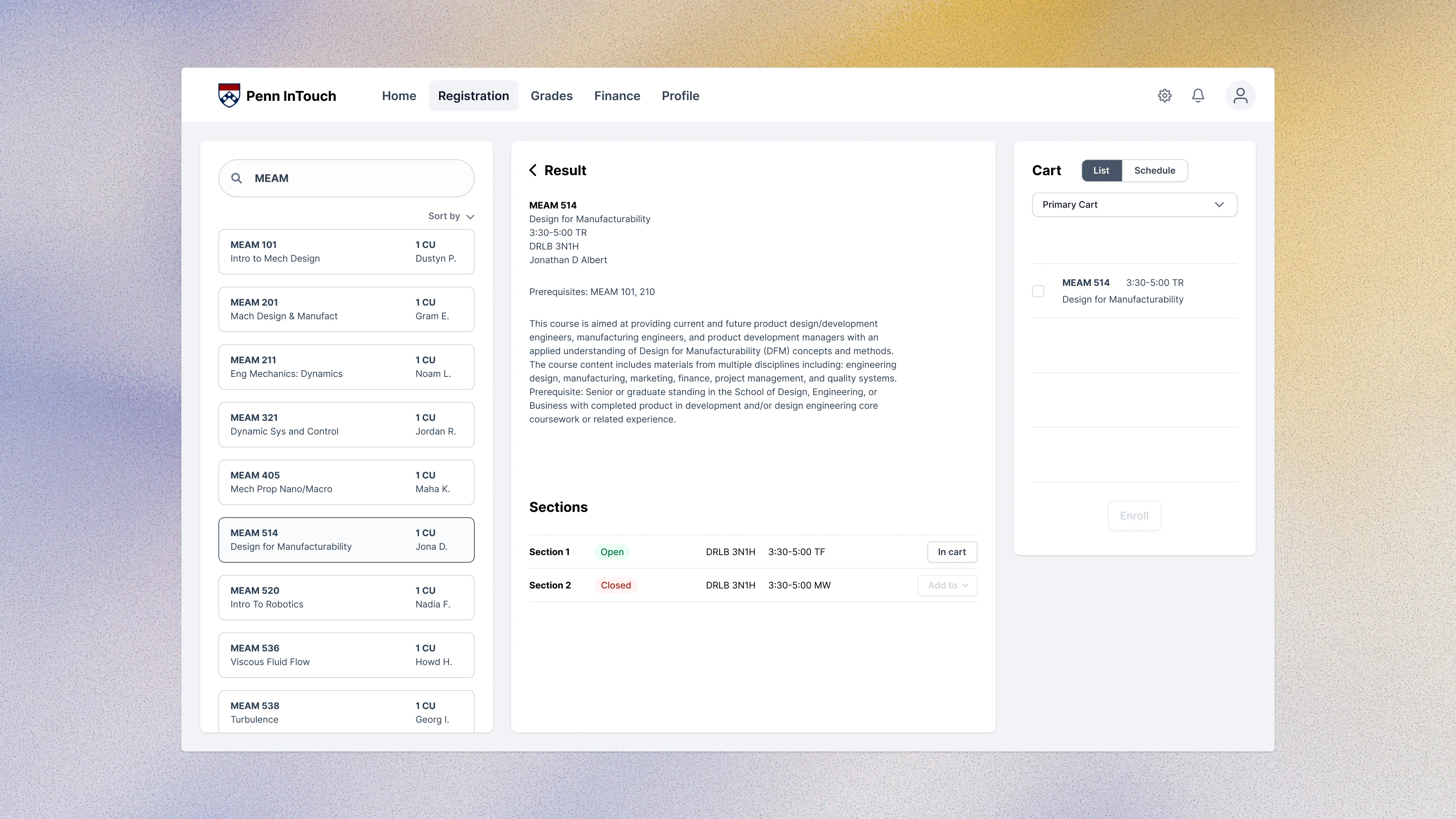
All-in-one layout - Final choice
Option III
The final solution combined all essential steps into a single integrated interface. Students could quickly move between sections while maintaining context, creating a smoother and more flexible experience.
Problem III
Students relied on external tools to plan their schedules
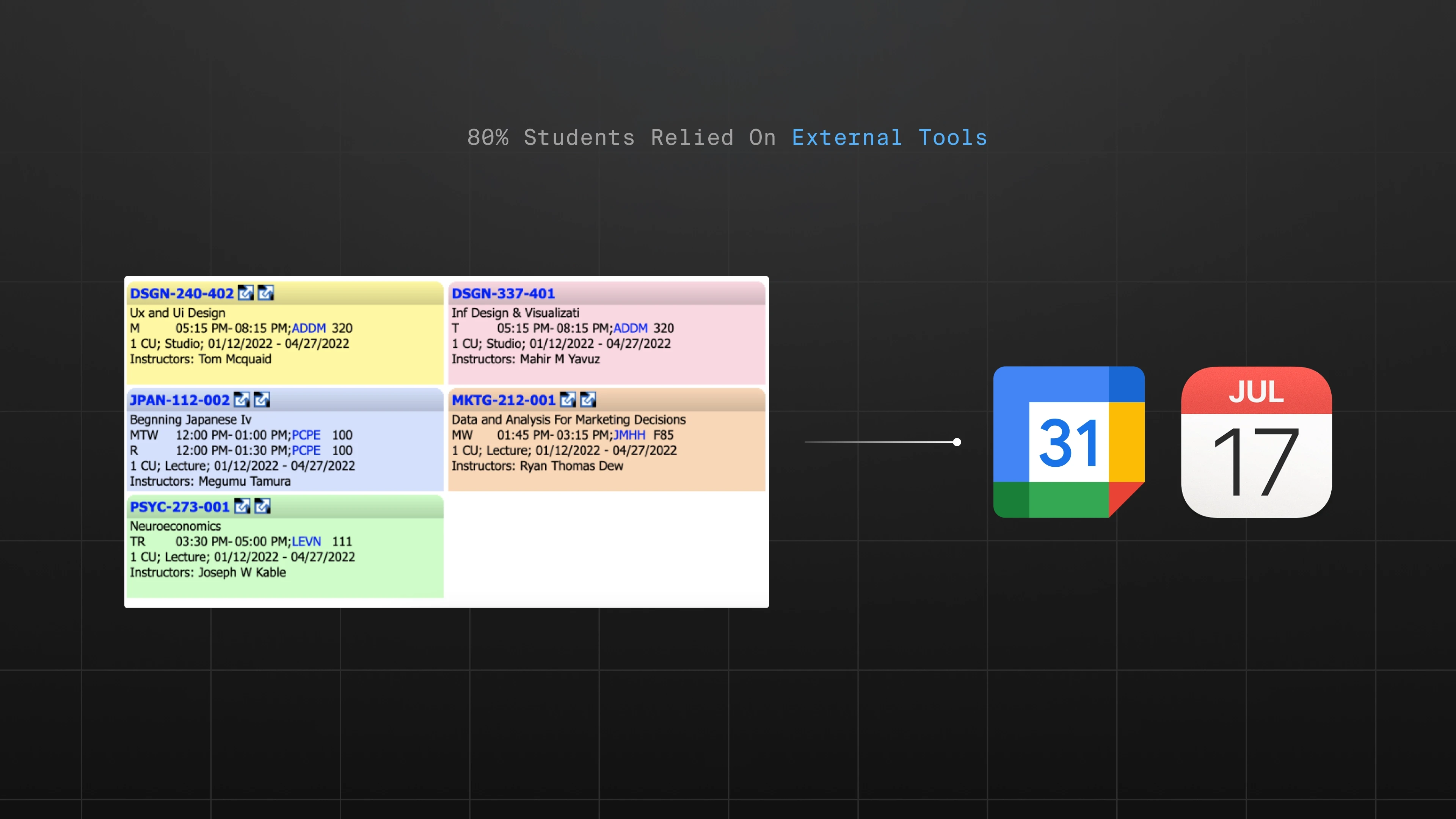
During testing, 80% of participants used external tools while registering. Many manually blocked time slots in Google Calendar to check scheduling conflicts before enrolling in a class. This fragmented workflow forced students to constantly switch between tools.
Solution III
Integrated scheduling
To eliminate this friction, I integrated a visual class schedule directly into the cart. Students can now immediately see how courses fit into their schedule without leaving the platform. This keeps the entire decision-making process in one place.
Calendar-in-Cart
Most students referenced external calendars while registering. I integrated a live class schedule directly into the cart, allowing users to instantly visualize how courses fit into their weekly schedule.
Direct enrollment
Testing revealed that students often opened a separate page to enroll in classes, creating unnecessary tab switching. I introduced direct enrollment from the cart, allowing students to register immediately after selecting a class.
Evaluation
Refinement through user testing
After the initial redesign, I conducted usability testing with 15 students from the original research group. Participants preferred the cleaner interface and appreciated being able to complete the entire workflow on one page. Their feedback also highlighted opportunities for refinement.
Clearer calls to action
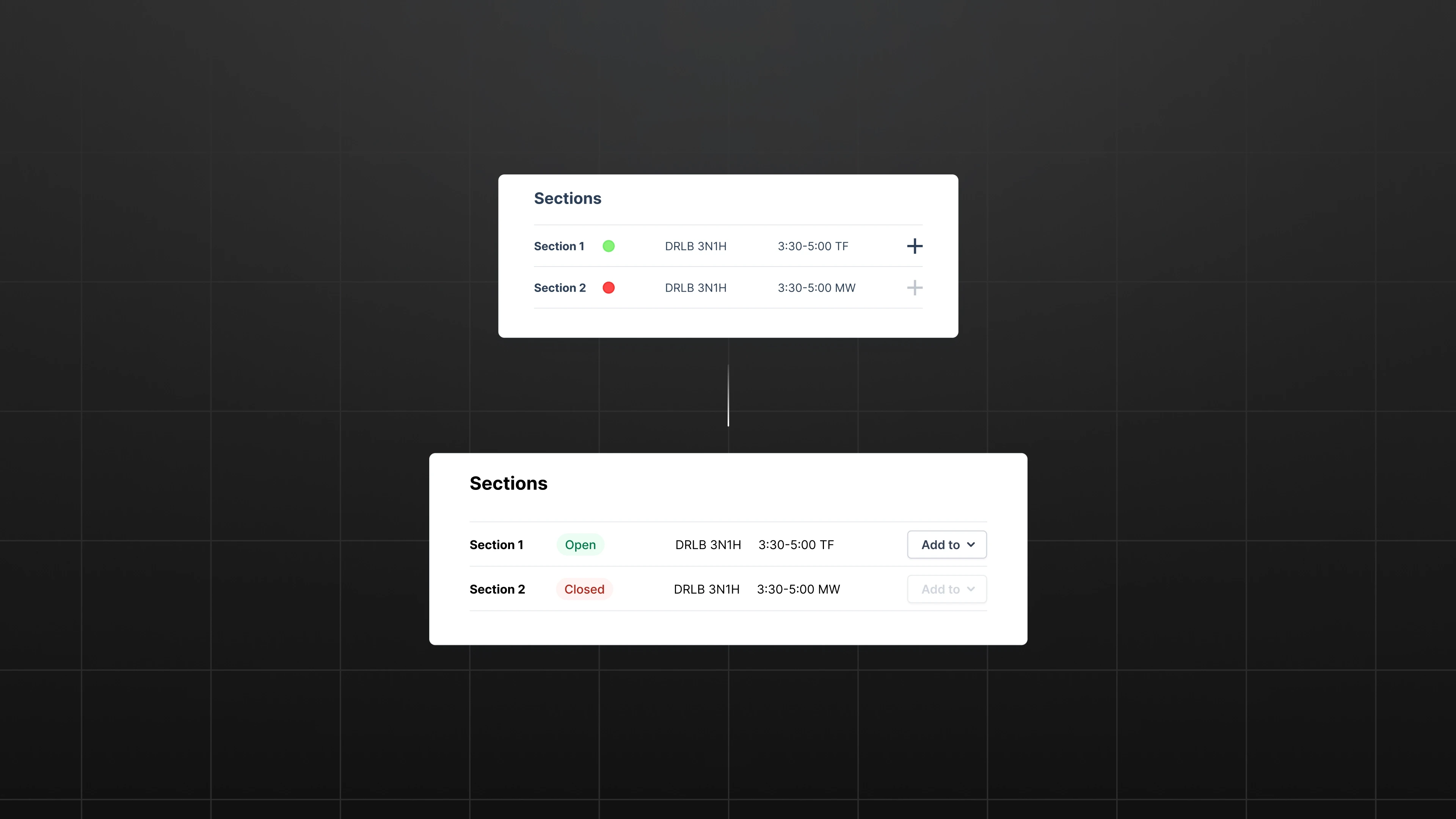
Users suggested replacing the ambiguous “+” icon with a clearer “Add to Cart” button to better communicate the action.
Hover interactions for secondary actions
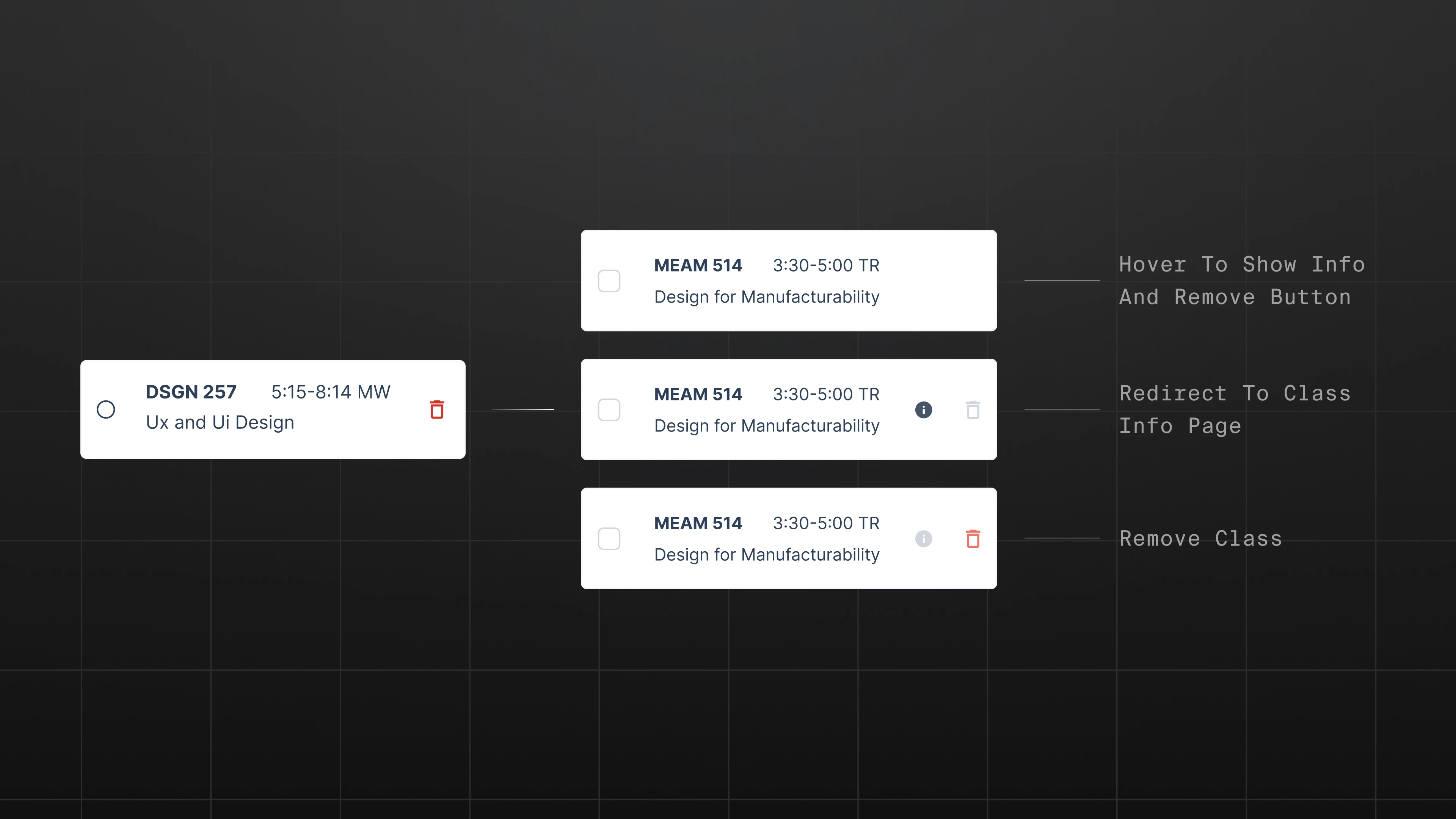
To reduce visual clutter while maintaining functionality, secondary actions now appear on hover. I also introduced a quick “Info” shortcut from the cart to access course details.
Evaluation
Final results

After refining the design, I tested the experience with 20 students from freshmen to graduate level. All participants completed course search and enrollment in under 5 minutes, compared to 15 minutes using the current system. In a follow-up survey with 186 responses, 84% reported satisfaction and 75% preferred the redesign over Penn InTouch.